
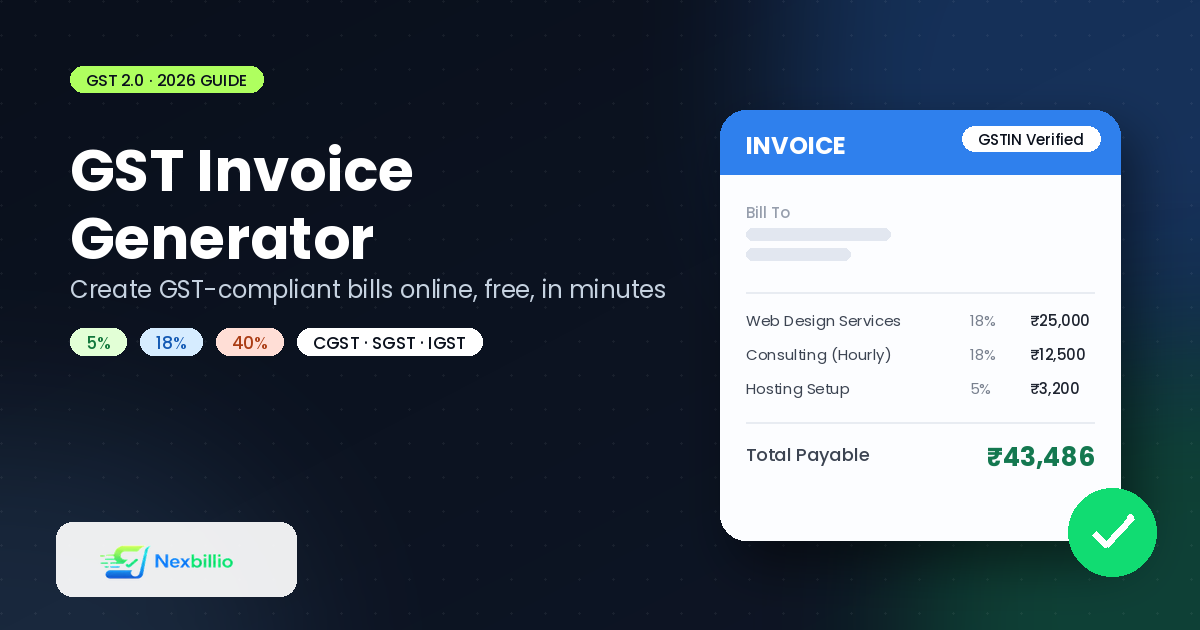
If you run a business in India, you already know that a GST invoice isn’t just a bill, it’s a legal document. Get one field wrong and you’re looking at a rejected input tax credit claim, an annoyed accountant, or worse, a notice from the tax department. Get it right, and invoicing becomes something you barely think about.
The tricky part is that most guides on this topic either talk down to you like you’ve never seen an invoice before, or they bury you in tax jargon that only makes sense if you’re already a chartered accountant. This one sits in the middle. We’ll cover what a GST invoice actually needs, how the new GST 2.0 rates change things, and how to generate one online in a couple of minutes without installing anything or signing up for a trial you’ll forget to cancel.
What Changed With GST 2.0 (Why It Matters for Your Invoices)
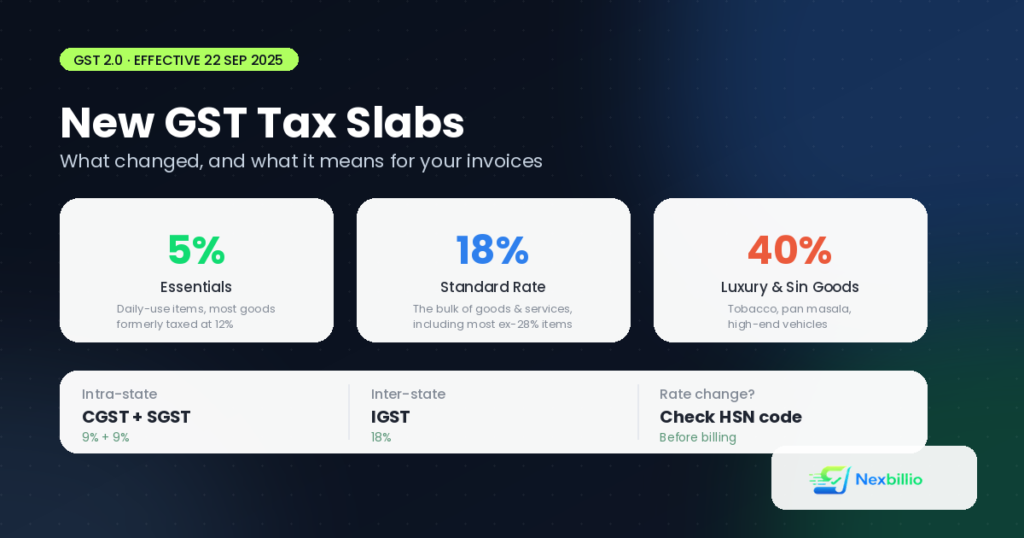
Since 22 September 2025, India has been running on a simplified GST structure. The old four-slab system of 5%, 12%, 18%, and 28% is mostly gone. Most goods and services now sit under just two main rates:
- 5% for essentials and daily-use items
- 18% for the bulk of standard goods and services
There’s also a 40% slab reserved for luxury and “sin”. Goods, things like tobacco, pan masala, high-end cars, and select carbonated drinks. Items that used to sit at 12% mostly dropped to 5%. And most of the old 28% category moved down to 18%.
Why does this matter for your invoicing? Because if you’re still using an old billing template or an invoice generator that hasn’t been updated, there’s a decent chance it’s applying a tax rate that no longer exists. A tax invoice generator built for 2023 rules is going to cause headaches in 2026. Before you generate your next batch of invoices, it’s worth double-checking the HSN/SAC code and confirming the rate against the current slab, especially if you sell a mix of products that used to fall in different brackets.
What Every GST Invoice Must Legally Include
A GST-compliant invoice isn’t just “invoice plus tax.” The GST law is specific about what has to appear on the document. Here’s the checklist that actually matters:
- Supplier details — legal business name, address, and GSTIN (the 15-digit GST identification number)
- A unique, sequential invoice number — no gaps, no repeats, for the financial year
- Date of issue
- Recipient details — name, address, and GSTIN if the buyer is also registered
- HSN or SAC code for each product or service listed
- Description, quantity, and unit price of each line item
- Taxable value before tax is applied
- GST rate and breakup — shown as CGST + SGST for sales within the same state, or IGST for interstate sales
- Place of supply, especially important for interstate transactions
- Total invoice value, in both figures and words for higher-value invoices
- Signature or digital signature of the supplier or an authorised person
Miss the HSN code or muddle up CGST/SGST versus IGST, and your buyer’s accountant will likely bounce the invoice back to you for correction. It sounds like a small thing until you’re chasing a client for a resend three weeks after the work is done.
CGST, SGST, and IGST: The Part That Confuses Everyone
This trips up a lot of first-time business owners, so it’s worth spelling out plainly:
- If you’re selling to a customer in the same state, the tax splits into CGST (central) and SGST (state), each at half the applicable rate. So an 18% sale becomes 9% CGST + 9% SGST.
- If you’re selling across state lines, the full rate applies as IGST. An 18% sale is billed as 18% IGST, not split.
Getting this wrong doesn’t just look sloppy, it can genuinely affect how your buyer claims input tax credit. A good invoice generator handles this split automatically based on where your business and your client are registered, so you’re not doing mental math on every invoice.
How to Generate a GST Invoice Online, Step by Step
You don’t need accounting software or a course in tax law to put together a compliant GST bill. Here’s the actual process using a free online tool like NexBillio:
- Pick “Invoice” as the document type and select INR as your currency.
- Fill in your business details — name, GSTIN, address, and contact info. Upload your logo if you have one; it makes a real difference to how professional the invoice looks.
- Add your client’s details, including their GSTIN if they’re a registered business (this matters for B2B transactions).
- Add line items with description, quantity, and unit price. Include the HSN/SAC code for each item if your business volume requires it.
- Apply the correct GST rate — 5%, 18%, or 40% depending on the item, and let the tool calculate CGST/SGST or IGST based on the billing location.
- Add payment terms — Net 15, Net 30, or Due on Receipt, whatever fits how you work with that client.
- Download the PDF or email it straight to your client. No account creation, no waiting.
The whole thing takes under two minutes once you’ve got your business details saved, and there’s no cost involved for straightforward invoice generation.
GST Billing Software vs. a Free Invoice Generator: What’s the Actual Difference?
This is where a lot of confusion comes from, because “GST billing software” and “GST invoice generator” get used interchangeably, but they’re not really the same thing.
Full GST billing software typically bundles invoicing together with inventory tracking, GSTR-1 and GSTR-3B return filing, e-way bill generation, expense tracking, and multi-user access. That’s genuinely useful if you’re running a retail shop with stock to manage or you need to file GST returns directly from the same platform. It’s also, understandably, heavier: many of these tools gate the useful parts behind a paid plan once you cross a certain invoice volume or need multi-device access.
A free invoice generator does one job and does it fast: it produces a clean, compliant invoice with the right tax breakup, ready to send. If you’re a freelancer, consultant, small trader, or service provider who just needs to bill clients correctly without managing inventory or filing returns through the same tool, this is usually the faster and cheaper route. You handle GST return filing separately (through the GST portal or your accountant), and you use the generator purely for creating clean, correct bills.
A quick way to decide which one you need:
- You manage stock, run a shop counter, or need GSTR filing built in → full GST billing software is worth the learning curve.
- You mainly need to bill clients quickly with accurate tax fields and a professional look → a free tax invoice generator gets you there without the extra setup, subscriptions, or onboarding calls.
Common Mistakes That Get GST Invoices Rejected
A surprising number of GST invoice problems come down to a handful of repeat offenders:
- Wrong or missing HSN/SAC code especially after GST 2.0 reclassification move several items into new slabs
- Applying an old tax rate (12% or 28%) on items that have since shifted to 5%, 18%, or 40%
- Mixing up CGST/SGST and IGST on interstate sales
- Skipping the buyer’s GSTIN on B2B invoices, which blocks their input tax credit claim
- Non-sequential invoice numbers, which raises red flags during audits
- Rounding errors in the tax calculation that don’t match the taxable value shown
Most of these are avoidable simply by using a tool that calculates the tax automatically instead of doing it by hand in a spreadsheet at 11 p.m. before a deadline.
Frequently Asked Questions
Is it mandatory to mention the HSN code on every GST invoice?
For most registered businesses, yes, especially after the tightened reporting rules that came with GST 2.0. The exact threshold for how many digits of the HSN code you need depends on your annual turnover, so it’s worth checking the current requirement for your turnover slab.
Can I generate a GST invoice for free without signing up?
Yes. Tools like NexBillio let you fill in your details, apply the correct GST rate, and download a PDF invoice with no account creation required. You just won’t get features like saved client lists or GST return filing, those come with dedicated accounting software.
What’s the difference between a tax invoice and a bill of supply?
A tax invoice is issued when GST is charged on the sale. A bill of supply is used instead when the supplier is unregistered, dealing in exempt goods, or operating under the composition scheme, where GST isn’t charged separately.
Do freelancers and consultants need to follow the same GST invoice format?
If you’re GST-registered, yes, the same rules around GSTIN, invoice numbering, and tax breakup apply whether you’re selling a product or billing for a service.
Getting It Right, Without the Overhead
GST compliance sounds intimidating until you break it down into what actually needs to appear on a document: correct GSTIN, correct HSN code, correct tax split, and a clean sequential number. Once you have those covered, the rest is formatting.
If you’re not ready to commit to full accounting software just to send a handful of clean invoices a month, a free GST invoice generator covers the essentials without locking you into a subscription. And if your business grows to the point where you need inventory tracking or built-in return filing, you can always graduate to a fuller platform later, there’s no rule that says you have to pick one system for life.
1 thought on “GST Invoice Generator: How to Create GST Bills Online for Free (2026 Guide)”