
NexBillio
Click to upload logo
PNG, JPG, SVG up to 5MB| Description | Qty | Unit Price | Amount |
|---|---|---|---|
| Add items to see your invoice | |||
Introduction
Need a simple and efficient way to create Amazon invoices without complicated software? NexBillio’s free invoice generator for Amazon helps sellers, freelancers, and eCommerce businesses generate professional, accurate, and platform-ready invoices in just a few minutes.
Whether you're an Amazon FBA seller, dropshipper, or online merchant, our online invoice generator makes it easy to create professional invoices, add product details, include customer information, and maintain proper order records. You can quickly customize invoices with your branding, download them instantly, and share them with clients or for accounting purposes. Designed for speed, simplicity, and accuracy, NexBillio ensures your invoices meet standard business requirements while saving you time on manual paperwork. No sign-up, no hidden fees—just a clean and powerful Amazon invoice generator built to support your eCommerce growth.
With NexBillio’s free invoice generator for Amazon, streamline your billing process, stay organized, and manage your sales professionally—all in one place. Fast, user-friendly, and 100% free, it’s the smarter way to handle Amazon invoicing with ease.
Table of Contents
- What Is an Invoice Generator?
- Why Use a Free Online Invoice Generator?
- How to Generate an Invoice – Step-by-Step
- Invoice Guides for Amazon
- Top Features of Our Free Invoice Generator
- Invoice Types You Can Create
- FAQs
- Final Thoughts
1. What Is an Invoice Generator?
An invoice generator is a free online tool that helps you create professional invoices quickly and easily — without needing accounting software or design skills. Simply enter your business name, client details, items or services and prices. The tool instantly builds a clean, professional invoice you can download as a pdf or send by email.
Key Invoice Elements
- Seller and buyer business details
- Invoice number and date
- Itemized list of products or services
- Unit price, quantity, subtotal, tax and total amount
- Payment terms and due date
- Bank details or payment method like eBay, PayPal , etc
2. Why Use a Free Online Invoice Generator?
Creating invoices manually in Word or Excel is time-consuming and error-prone. A free invoice generator solves that. Here's why thousands of businesses use one every day:
Top Benefits
- 100% free — no credit card, no subscription required
- Generate invoices in seconds - not hours
- Download as pdf for professional presentation
- Works for Amazon
- Supports multiple currencies for international clients
- Mobile-friendly — create invoices from your phone
- Includes automatic tax and discount calculations
- No accounting experience needed
3. How to Generate Invoice Step-by-Step
Our invoice generator is designed to be as simple as possible. Follow these steps:
- Go to our free invoice generator tool
- Enter your business name, logo and contact details
- Add your client's name and billing address
- Set the invoice number, invoice date and due date
- Add line items: description, quantity and unit price
- Apply any discounts or tax rates as needed
- Add payment instructions or notes
- Click 'Generate Invoice' and download your pdf instantly
4. Invoice Guides for Amazon
Different platforms have different invoicing needs. Here's your complete guide to generating invoices for each major platform.
4.1 Amazon Invoice Generator – Free Online
Generate Invoice Amazon Order Free
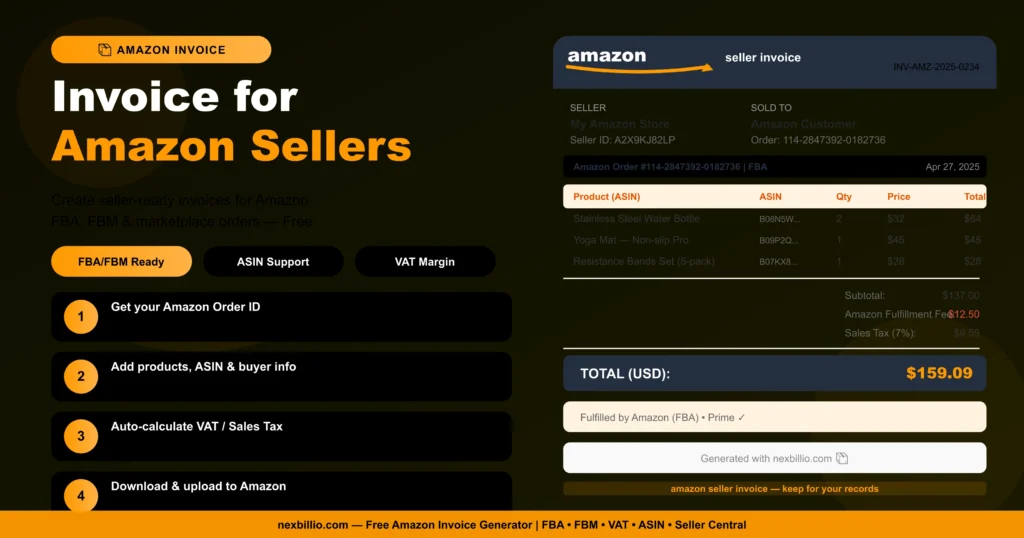
Amazon automatically generates invoices for purchases, but sellers sometimes need to create custom Amazon-compatible invoices for wholesale orders, VAT compliance or international sales.
How to Generate Amazon Invoice
- Log into Amazon Seller Central
- Go to 'Orders' > 'Manage Orders'
- Click on the order and select 'Invoice'
- For custom invoices, use our free Amazon invoice generator
When Do You Need a Custom Amazon Invoice?
- Wholesale or bulk orders outside Amazon
- VAT invoices for EU customers
- Amazon Business account billing
- Custom invoice with your own branding
5. Top Features of Our Free Invoice Generator
Here's what makes our tool stand out from every competitor:
Core Features
- Instant pdf generation ; download in one click
- No sign-up or registration required
- Supports 100+ currencies worldwide
- Automatic tax calculations
- Add discounts, shipping costs and custom fees
- Upload your company logo for professional branding
- Mobile-optimized-works on all devices
- Multiple invoice templates to choose from
Advanced Features
- Recurring invoice support for subscription billing
- Multi-line item invoices for complex orders
- Notes and payment terms field
- Custom color themes and fonts
- Invoice history with free account
- Shareable invoice links
6. Invoice Types You Can Create
Our generator supports every type of invoice your business needs:
Complete List of Invoice Types
- Standard Sales Invoice
- Proforma Invoice
- Tax Invoice (VAT/GST)
- Credit Note / Credit Invoice
- Debit Note
- Recurring Invoice
- Freelance Invoice
- Service Invoice
- Commercial Invoice (for exports)
- E-commerce Invoice (eBay, Amazon, Shopify, Etsy)
- Stripe / PayPal Invoice
- QuickBooks-compatible Invoice
7. FAQs
Q1: Is your invoice generator really free?
Yes, our invoice generator is 100% free. There are no hidden fees, no subscription plans and no credit card required. Generate unlimited invoices at no cost.
Q2: How do I get an Amazon invoice for my order?
For purchases, go to Amazon.com > 'Returns & Orders' > 'Invoice.' For sellers, use our free Amazon invoice generator to create custom invoices for wholesale or B2B orders not placed through Amazon.
Q3: Can I use this invoice generator on my phone?
Yes! Our free invoice generator is fully mobile-optimized. Create, customize and download invoices from any smartphone or tablet-no app download required.
Q4: What file format are invoices downloaded in?
All invoices are downloaded as pdf files-the industry standard for professional billing. PDFs are universally readable, print-ready and can't be accidentally edited by your clients.
Q5: Do I need an account to use the invoice generator?
No account is needed for basic invoice generation. Simply open the tool, fill in your details and download your invoice pdf instantly. A free account is available if you want to save invoice history.
8. Final Thoughts
Whether you need an invoice PDF for Amazon, eBay, Shopify, PayPal, Flipkart, or any major eCommerce platform, our free invoice generator has you covered. It’s the complete all-in-one solution for online sellers, freelancers, and businesses to create professional, platform-ready invoices in seconds without paying anything. Stop wasting time with complicated accounting software or outdated invoice templates. Generate high-quality PDF invoices instantly with no subscriptions, hidden fees, or technical skills required. Create Amazon-ready invoices, GST invoices, tax invoices, and branded business invoices from one simple dashboard.
Perfect for customer billing, seller documentation, reimbursements, and order verification, our invoice maker helps you create clean, professional invoices quickly and easily. Fast, mobile-friendly, and beginner-friendly, it’s the simplest way to streamline your billing workflow and manage invoices like a pro.