
NexBillio
Click to upload logo
PNG, JPG, SVG up to 5MB| Description | Qty | Unit Price | Amount |
|---|---|---|---|
| Add items to see your invoice | |||
Introduction
Need to send a professional invoice quickly without spending money on expensive accounting software or complicated billing tools? Our free online invoice generator UK is the perfect solution for freelancers, small business owners, contractors, consultants, and online sellers who need fast, accurate, and professional invoice pdfs in just a few clicks. Designed for modern businesses in the UK and beyond, it makes invoicing simple, efficient, and completely stress-free.
Create customized business invoices, tax invoices, service invoices, and branded pdf invoices instantly with an easy-to-use invoice maker built for speed and convenience. Whether you need invoices for freelance work, client billing, bookkeeping, payment tracking, or business accounting, our smart invoicing tool helps you generate polished, professional invoices that are ready to send immediately.
Forget outdated invoice templates, confusing software, and time-consuming manual billing. Simply fill in your business details, customize your invoice layout, download a high-quality pdf invoice, and send it directly to clients to get paid faster. No account required, no subscriptions, no hidden charges, and no technical experience needed just a powerful free invoice generator designed to streamline your entire billing workflow.
Built for freelancers, startups, agencies, contractors, and growing businesses, our invoice generator helps you stay organized, maintain professional financial records, and manage invoices effortlessly from any device. Fast, mobile-friendly, secure, and incredibly easy to use, it’s the smarter way to create professional invoices online and simplify business billing from anywhere in the world.
Table of Contents
- What Is an Invoice Generator?
- Why Use a Free Online Invoice Generator?
- How to Create an Invoice Online (Step-by-Step)
- Free Invoice Generator – UK
- Invoice Generator vs. Invoice Maker: What's the Difference?
- Best Free Invoice Generator Tools Compared
- Key Features to Look for in an Invoice Maker
- Invoice Templates for Every Business Type
- Common Invoice Mistakes to Avoid
- FAQs about Free Invoice Generators
Free Invoice Generator – Create Professional Invoices Instantly Online
An invoice generator is an online tool that helps you build a professional invoice in minutes by filling in your business details, client information, line items, taxes and payment terms — then downloading it as a pdf or sending it directly by email.
Unlike traditional spreadsheet templates or expensive accounting software, a free online invoice generator requires:
- No software installation
- No monthly subscription
- No accounting knowledge
- No mandatory sign-up
Whether you need to generate an invoice for a one-time project or run a full freelance business, the right invoice tool saves you hours every week.
Why Use a Free Online Invoice Generator?
Save Time and Get Paid Faster
A well-formatted invoice signals professionalism. Clients pay faster when they receive a clear, itemized bill with payment instructions. Studies show that businesses using digital invoices get paid up to 3x faster than those using paper-based methods.
Key Benefits at a Glance
- Instant pdf download – send immediately via email
- Auto-calculation – taxes, discounts and totals calculated automatically
- Customizable branding – add your logo, brand colors and business details
- Tax-compliant format – Sales Tax (UK)
- Accessible anywhere – works on desktop, tablet and mobile
How to Create an Invoice Online – Step-by-Step Guide
Step 1 – Enter Your Business Information
Add your business name, address, phone number, email and logo. This builds instant trust with your clients.
Step 2 – Add Client Details
Include your client's full name or company name, billing address and contact email.
Step 3 – Set Invoice Number & Date
Assign a unique invoice number for tracking. Set the invoice date and payment due date
Step 4 – List Your Products or Services
Add line items with:
- Description of work/product
- Quantity
- Unit price
- Tax rate
Step 5 – Apply Taxes, Discounts & Fees
Our invoice generator automatically calculates:
- Subtotal
- Tax amount (VAT)
- Discounts
- Total amount due
Step 6 – Add Payment Terms & Notes
Include your accepted payment methods like bank transfer, PayPal, Stripe, etc. and any late payment policies.
Step 7 – Download & Send
Click Generate Invoice → Download as pdf → Send via email or print.
Free Invoice Generator – UK (VAT Invoice)
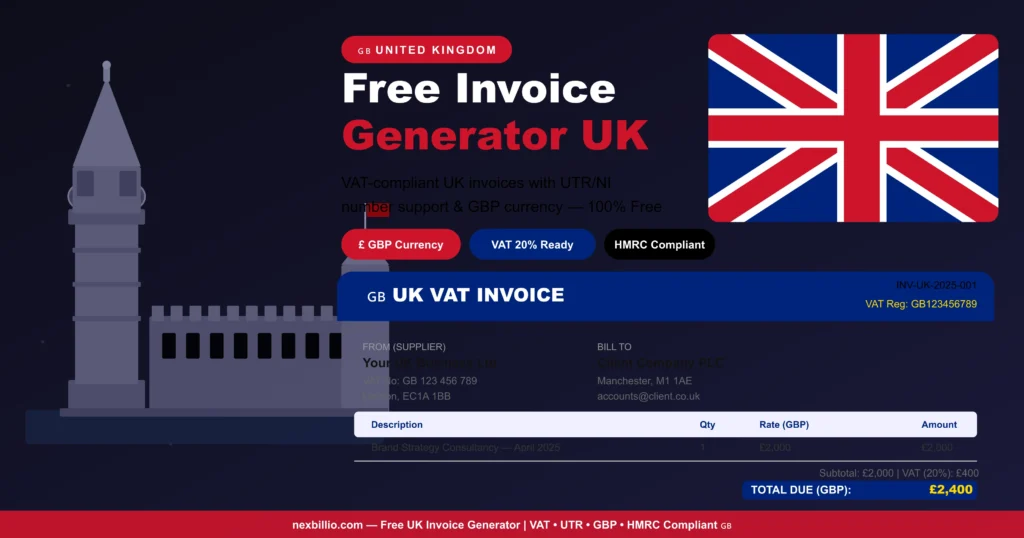
Online Invoice Generator UK – VAT & Non-VAT Invoices
UK invoicing rules are set by HMRC. Whether you're VAT-registered or not, every UK invoice must meet basic legal requirements.
What a UK Invoice Must Include (HMRC Rules)
- A unique invoice number
- Your business name, address and contact details
- Client's name and address
- Invoice date
- Description of goods or services
- Date goods/services were supplied (if different from invoice date)
- Amount of each item (excluding VAT)
- Total amount excluding VAT
- VAT rate (20% standard, 5% reduced, 0% zero-rated)
- VAT amount charged
- Total amount including VAT
- Your VAT registration number
UK Invoice Types
- Full VAT Invoice – standard for most businesses
- Simplified VAT Invoice – for sales under £250 inc. VAT
- Pro Forma Invoice – not a tax document; used for quotes
Best Free Invoice Generator UK – What Sets Ours Apart
- HMRC-compliant invoice format
- Automatic 20% VAT calculation
- GBP currency default
- VAT number field included
- Free pdf download — no login required
- Suitable for sole traders, limited companies and contractors
Invoice Generator vs. Invoice Maker — What's the Difference?
Understanding the Terminology
People often use "invoice generator," "invoice maker," and "invoice creator" interchangeably — and that's fine. But here's a quick breakdown:
| Term | What It Means |
| Invoice Generator | Tool that auto-generates invoice based on input data |
| Invoice Maker | Broader term; may include manual template editing |
| Invoice Creator | Same as above; focuses on design/creation aspect |
| Invoice Software | Full accounting suite with recurring invoices, reports |
For freelancers and small businesses, a free invoice generator online covers 90% of needs without the cost or complexity of full accounting software
Key Features to Look for in an Invoice Maker
Here are some key features to look for in a best online free invoice maker
Must-Have Features in Any Free Invoice Generator
1. Multi-Currency & Multi-Country Tax Support
A good invoice tool should handle:
- Country-specific taxes like Sales Tax in the UK
2. Professional Invoice Templates
Look for:
- Clean, minimal designs
- Industry-specific layouts (services, products, hourly billing)
- Brand customization (logo, colors, fonts)
3. Automatic Calculations
Must auto-calculate:
- Line item totals
- Subtotals
- Tax amounts
- Discounts
- Grand total
4. pdf Generation & Email Delivery
- One-click pdf export
- Direct email delivery to clients
- Option to print
5. Invoice Tracking
- Invoice status (sent, viewed, paid, overdue)
- Payment reminders
- Invoice history
6. Payment Integration
- PayPal, Stripe, Square links
- Bank transfer details
- QR code payment options
Invoice Templates for Every Business Type
Here are invoice templates for some businesses
Industry-Specific Invoice Examples
Freelancer Invoice Template
Best for: designers, writers, developers, photographers
- Hourly or project-based billing
- Simple one-page layout
- Personal branding options
Service Business Invoice Template
Best for: consultants, agencies, marketing firms
- Multiple service line items
- Milestone-based payment support
- Terms and conditions section
Product Sales Invoice Template
Best for: retail, wholesale, ecommerce sellers
- SKU/product code fields
- Quantity and unit price columns
- Shipping and handling fees
Construction & Contractor Invoice Template
Best for: builders, electricians, plumbers, renovators
- Labor and materials separation
- Progress billing support
- Tax invoice compliant (UK)
Medical & Healthcare Invoice Template
Best for: clinics, therapists, private practitioners
- Patient name and ID fields
- Service/procedure codes
- Insurance claim reference
Common Invoice Mistakes to Avoid
10 Invoice Errors That Delay Payment
- Missing invoice number – makes tracking impossible
- No due date – clients don't know when to pay
- Vague service descriptions – causes disputes
- Wrong tax rate applied – creates compliance issues
- No payment method listed – client can't pay easily
- Typos in client name or address – looks unprofessional
- Incorrect currency – causes confusion for international clients
- Missing business contact info – client can't reach you
- No late payment terms – leaves you with no recourse
- Sending as editable Word doc – always sent as pdf!
How Our Invoice Generator Prevents These Mistakes
- Required fields are clearly marked
- Auto-assigns sequential invoice numbers
- Built-in due date selector
- Locked pdf output to prevent editing
- Tax rates pre-set by country
FAQs about Free Invoice Generators
General Questions
Is this invoice generator really free?
Yes. Our online invoice generator is 100% free to use. You can create, customize and download professional invoices as pdfs with no subscription, no sign-up and no hidden fees.
Do I need to create an account to use the invoice generator?
No account is required. Simply fill in your details, generate your invoice and download it instantly.
Can I use this invoice generator on my phone or tablet?
Yes. Our tool is fully mobile-responsive and works on all devices — iPhone, Android, iPad and desktop browsers.
What format does the invoice download in?
Invoices download as professional pdf files — the universally accepted format for billing.
Tax & Compliance Questions
Does the UK invoice generator include VAT?
Yes. Our UK invoice generator automatically applies the standard 20% VAT rate, includes your VAT registration number field and formats invoices to HMRC standards.
Features & Technical Questions
Can I add my business logo to the invoice?
Yes. Upload your logo directly and it will appear on all generated invoices automatically.
Can I send the invoice directly to my client from the tool?
Yes. Enter your client's email and send the invoice directly — no need to download and re-attach.
Can I create recurring invoices?
Yes. Save your invoice template and reuse it for recurring clients — just update the invoice number and date.
What currencies does the invoice generator support?
We support all major currencies including USD, CAD, AUD, GBP, INR, EUR, NZD, SGD and more.
How is this better than using a Word or Excel invoice template?
- No manual calculations — totals compute automatically
- Professional design — not a basic spreadsheet
- pdf output — can't be edited by clients
- Tax-ready — country-specific tax fields built in
- Free and instant — no software needed
Can I use this for international clients?
Yes. Multi-currency support and country-neutral templates make it easy to invoice clients anywhere in the world.
Final Verdict – The Best Free Invoice Generator Online
When comparing all the top tools — from invoice-generator.com to Shopify, Adobe Express, Zoho, Wise, Invoice Simple, QuickBooks and FreshBooks , our free online invoice generator consistently leads in what small business owners and freelancers actually need:
- Truly free : no paywalls, no trial limits
- No sign-up : start invoicing in 60 seconds
- Professional templates : for every industry
- Instant pdf : download or email directly
- Mobile-first design : works everywhere
- Smart error prevention : get paid faster, stress less
Whether you need a free invoice generator in the UK, you're in the right place.