
Introduction
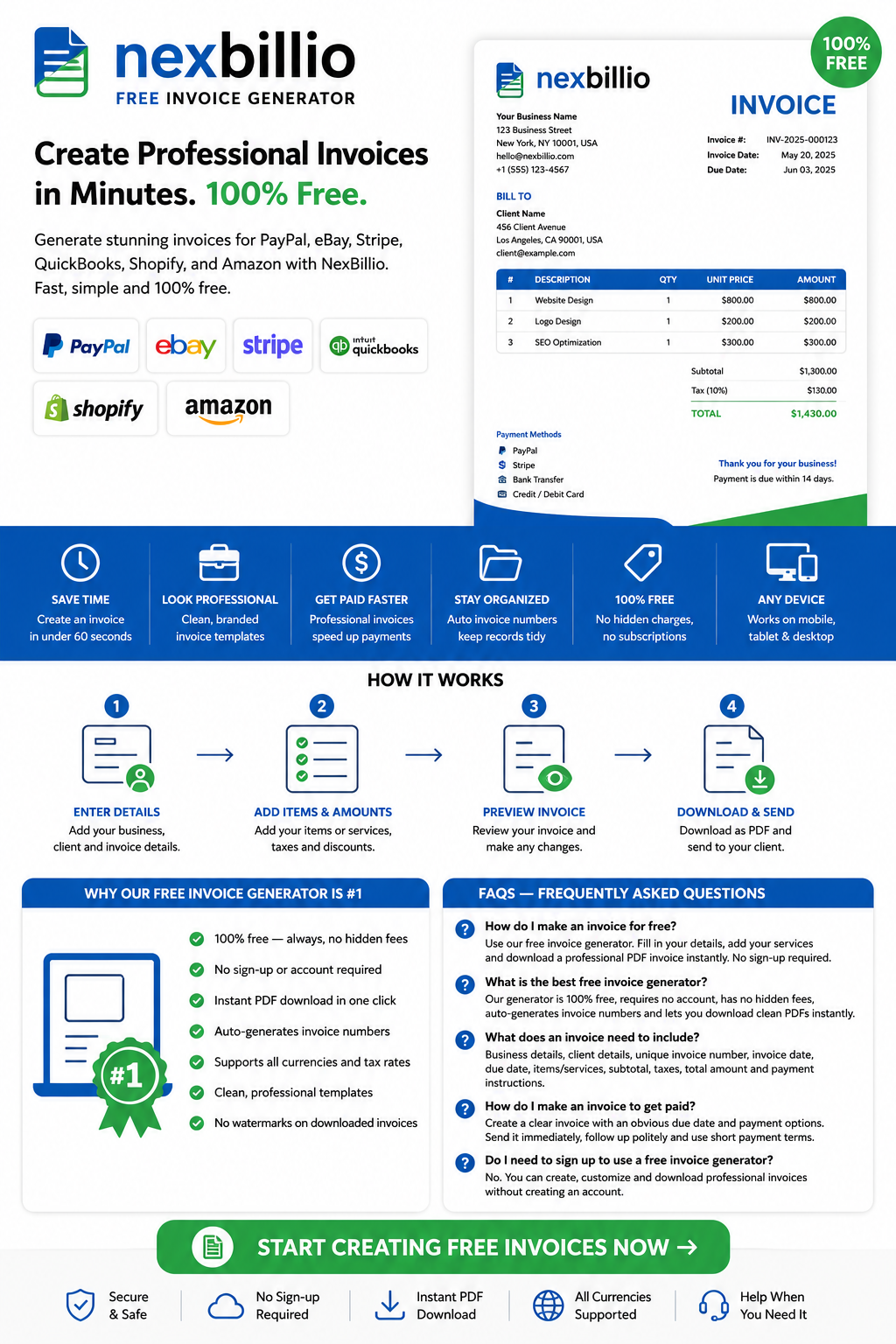
Whether you are a freelancer, small business owner or entrepreneur, knowing how to create an invoice the right way is essential to getting paid on time. A professional invoice is more than just a bill — it builds trust, ensures legal compliance and keeps your cash flow healthy. With our free invoice generator, you can create an invoice in minutes, no sign-up required. Generate stunning invoices for PayPal, eBay, Stripe, QuickBooks, Shopify, and Amazon with NexBillio. Designed for sellers and freelancers, our free invoice generator helps you create platform-ready invoices quickly and effortlessly. It is fast, simple, and 100% free.
Stop wasting time on manual paperwork. Use this guide to generate invoices like a pro, whether you need a business invoice, an e-invoice or a simple freelance invoice template.
Table of Contents
- What Is an Invoice Generator?
- Why You Need a Free Invoice Generator
- How to Generate an Invoice in Excel
- How to Make an Invoice to Get Paid Faster
- Why Our Free Invoice Generator Is #1
- FAQs
1. What Is an Invoice Generator?
An invoice generator is an online tool or software that helps you quickly create, customize and download professional invoices. Instead of building a document from scratch, you simply fill in your details – client name, services, amounts – and the tool formats everything into a clean, ready-to-send invoice pdf or document.
Modern invoice generators support features like:
- Auto-calculation of totals, taxes and discounts
- Customizable templates with your logo and branding
- Automatic invoice number generation
- Multiple currency and payment method support
- Instant pdf download or email sending
- Integration with platforms like Shopify, Amazon, eBay and PayPal
2. Why You Need a Free Invoice Generator
Creating invoices manually in Word or Excel is slow, error-prone and unprofessional. A free invoice generator solves all of that instantly. Here is why thousands of freelancers and businesses use one every day:
Save Time
Generate an invoice in under 60 seconds. No design skills needed, no formatting headaches.
Look Professional
Pre-built invoice templates are clean, branded and trusted by clients.
Get Paid Faster
A clear, professional invoice reduces back-and-forth and speeds up payment.
Stay Organized
Automatically numbered invoices keep your records tidy for accounting and tax purposes.
Completely Free
The best invoice generators are 100% free , no hidden charges, no subscription required to create and download basic invoices.
3. How to Generate an Invoice in Excel
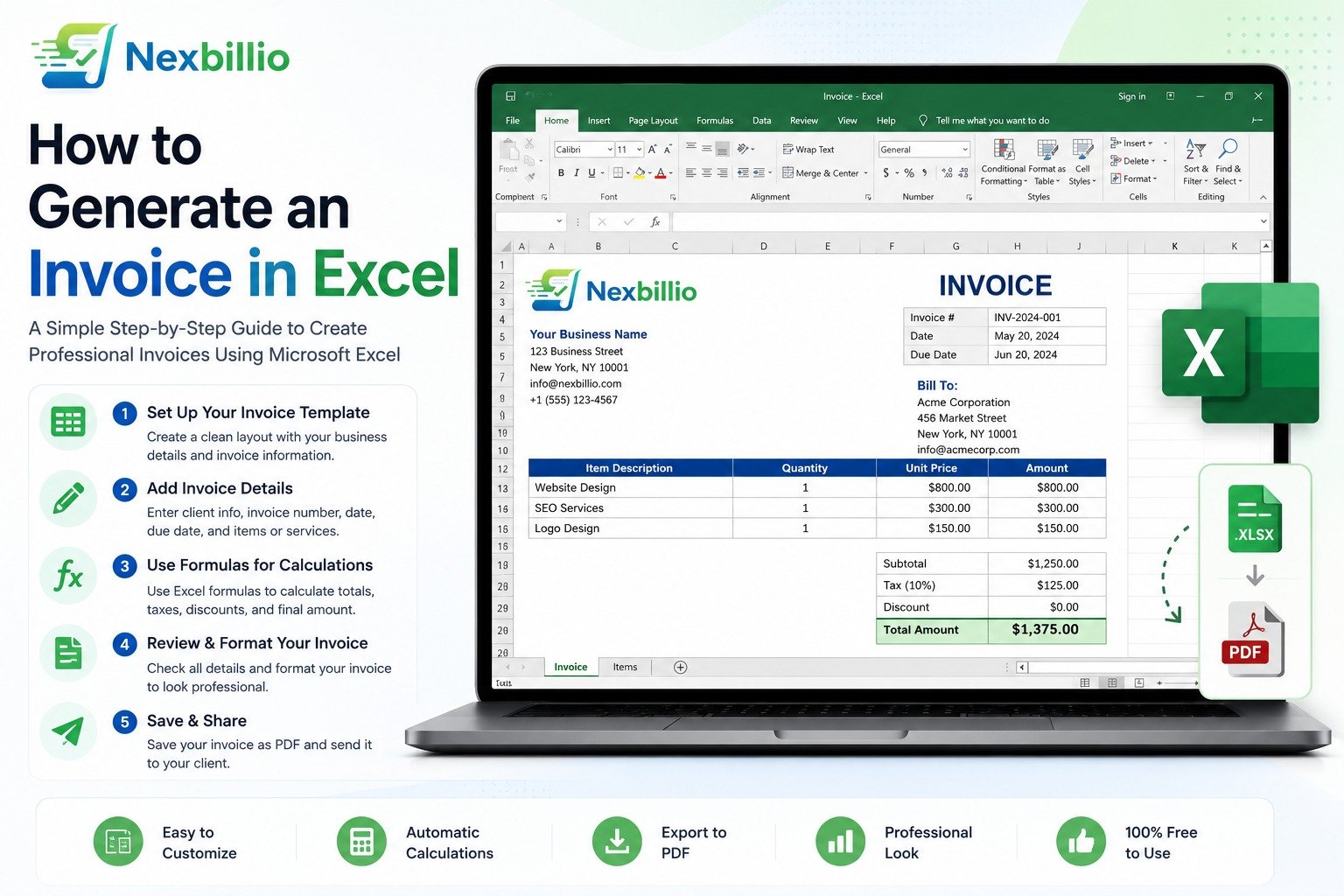
Microsoft Excel is one of the most widely used tools for creating invoices manually. Here is how to generate an invoice in Excel:
Method 1: Use an Excel Invoice Template
- Open Microsoft Excel
- Go to File > New
- Search for ‘Invoice’ in the template search bar
- Choose a template and click Create
- Replace the placeholder details with your own
- Save as .xlsx or export as pdf
Method 2: Create an Invoice in Excel from Scratch
- Set up columns: Item, Description, Quantity, Unit Price, Total
- Add SUM formulas to calculate totals automatically
- Include tax calculations using simple multiplication formulas
- Add your business logo using Insert > Pictures
- Format with borders, shading and professional fonts
Excel vs. Free Invoice Generator – Which Is Better?
While Excel gives you full control, a free online invoice generator is faster, already formatted and handles calculations automatically. For recurring invoicing, an online tool will save you significant time.
4. How to Make an Invoice to Get Paid Faster
Creating an invoice is only half the battle. Sending it the right way ensures you actually get paid on time. Here are proven strategies:
10 Tips to Get Paid Faster With Your Invoice
- Send the invoice immediately after completing the work
- Use a professional invoice template with your branding
- State the due date clearly and prominently
- Include a late payment fee policy
- Send a polite follow-up reminder 3 days before the due date
- Send invoices by email with a pdf attachment
- Add a clickable payment link if your tool supports it
- Use accounting software that tracks invoice status
- Consider early payment discounts
- Keep invoice language simple and clear-avoid jargon
5. Why Our Free Invoice Generator Is #1
- 100% free-always, no trial limits or hidden fees
- No sign-up or account required
- Instant pdf download in one click
- Auto-generates invoice numbers
- Supports all currencies and tax rates
- Works on mobile, tablet and desktop
- Clean, professional templates ready to use
- No watermarks on downloaded invoices
6. FAQs
Q1: How do I make an invoice for free?
Use our free invoice generator-just fill in your details, add your services and download a professional pdf invoice instantly. No sign-up required.
Q2: What is the best free invoice generator?
Our invoice generator is the best free option because it requires no account, has no hidden fees, generates invoice numbers automatically and lets you download clean pdf invoices instantly.
Q3: What does an invoice need to include?
Every invoice should include: your business details, client details, a unique invoice number, invoice date, due date, itemized list of services or products, subtotal, taxes, total amount and payment instructions.
Q4: How do I make an invoice to get paid?
Create a clear, professional invoice with an obvious due date and multiple payment options. Send it immediately after completing work, follow up politely and use short payment terms like Net 7 or Net 14.
Q5: Do I need to sign up to use a free invoice generator?
With our free invoice generator, no. You can create, customize and download a professional invoice without creating an account. Some tools like QuickBooks and FreshBooks require sign-up for full features.
Conclusion
Now you know exactly how to make invoices, how to create an invoice for free, how to generate invoice numbers and how to use platforms like Shopify, Amazon, eBay, PayPal and Excel for invoicing. Whether you are a freelancer sending your first invoice or a business managing hundreds of transactions, the right invoice generator makes the whole process fast, professional and stress-free.
Our free invoice generator gives you everything you need-no sign-up, no fees, no limits. Create your first invoice in under 2 minutes and start getting paid like a professional today.
1 thought on “How to Generate an Invoice in Excel”