
Looking for a free invoice generator that does not make billing feel like a full-time job?
You are not alone.
Freelancers, small businesses, contractors, consultants, agencies, and independent professionals often need something much simpler than a large accounting platform. They need to enter a few details, calculate the bill correctly, create a professional document, and send it to the customer. That is where an online invoice generator can make a real difference. Instead of opening a spreadsheet, adjusting columns, checking formulas, changing dates, and fixing the layout every time, you can use an invoice maker to build the document from a structured form. A good free invoice generator should save time without making the final invoice look cheap or unfinished.
What Is a Free Invoice Generator?
A free invoice generator is an online tool that helps you create an invoice without designing the document manually.
You normally enter:
- Your business information
- Customer information
- Invoice number
- Invoice date
- Due date
- Products or services
- Quantity
- Price
- Tax
- Discounts
- Payment details
The tool then organizes the information into a professional invoice. Some tools also let you add a business logo, notes, payment terms, shipping charges, and other details. The main advantage is simple: you spend more time entering the information and less time formatting the document.
Why Use an Online Invoice Maker?
You could build an invoice in a spreadsheet or document editor. Many people do. But manual invoice creation becomes frustrating when you start sending invoices regularly. You may have to duplicate an old file, rename it, change the invoice number, replace the customer information, update prices, check the formulas, and make sure the final file still looks right. An online invoice maker can streamline those steps.
It saves time
You start with a structured invoice rather than a blank page.
It reduces calculation mistakes
Automatic totals are useful when an invoice has several products, services, discounts, or taxes.
It keeps the layout consistent
The invoice structure stays organized instead of shifting around as you edit cells or text.
It looks more professional
A clean invoice with consistent branding can leave a better impression than a rushed document.
It works from different devices
A browser-based tool is convenient when you need to create an invoice from a laptop, desktop, tablet, or phone.
What Makes a Good Free Invoice Generator?
Not every tool that uses the word “free” offers the same experience. Before choosing a free invoice creator, look at what it actually allows you to do.
Easy invoice creation
The basic workflow should be obvious. You should not need to learn complicated accounting software just to create one bill.
Professional formatting
The finished document should be easy to read. Your customer should be able to locate the invoice number, total amount, due date, and payment information without searching through the page.
Automatic calculations
The generator should correctly handle quantities, rates, subtotals, taxes, discounts, and totals.
Branding options
A logo and consistent business information can make an invoice look more established.
PDF output
A PDF invoice is convenient because the layout is preserved when it is shared with a customer.
Useful payment fields
A good invoice should give you room to explain how customers can pay.
Flexible currency and tax options
Businesses serving customers in different regions may need more than one currency or tax format. Nexbillio currently supports these types of fields, including logo upload, multiple currencies, tax and discount calculations, shipping or handling charges, payment terms, notes, bank/payment details, and PDF-ready output. The current homepage also states that the tool can be used without signup.
Create an Invoice Online With Nexbillio
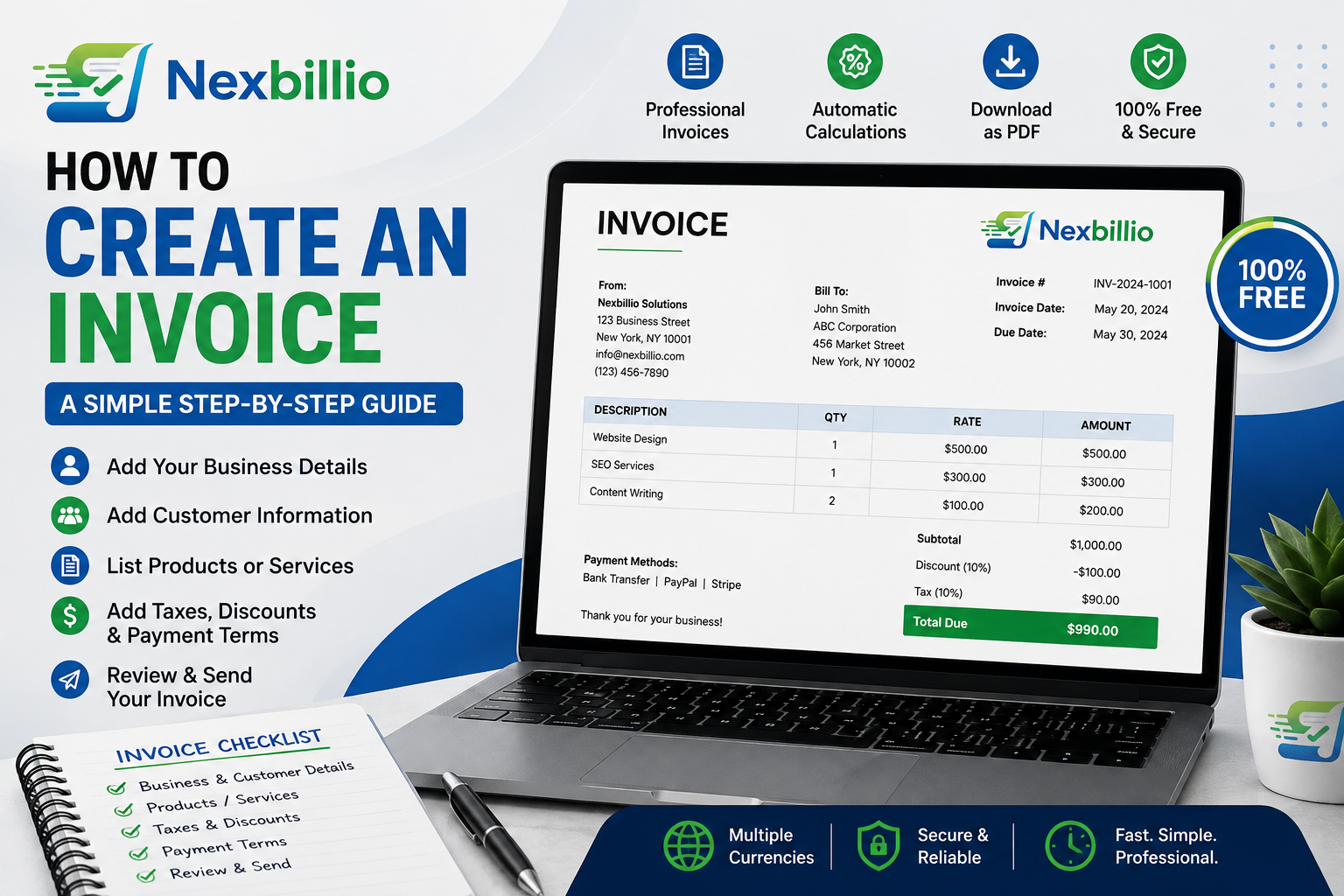
Nexbillio is built for people who want to create a professional invoice without turning the process into a software project. The invoice page starts with the information that matters. You can enter your business details and customer details, add line items, select a currency, set the invoice number and dates, and then add the amounts for the products or services you are charging for. You can also add a logo to keep the invoice connected to your brand. When taxes or discounts apply, they can be included in the calculation rather than worked out separately on a calculator or spreadsheet. The result is an invoice that is ready to review and turn into a PDF.
How to Use a Free Invoice Generator
Creating an invoice online can be broken into a few straightforward steps.
Step 1: Enter your business information
Add the name and contact details your customer needs. If you have a logo, upload it so the invoice matches your business identity.
Step 2: Enter the customer’s information
Add the customer’s name, company, email, and billing details. Double-check spelling and addresses.
Step 3: Set the invoice details
Add the invoice number, issue date, due date, and payment terms. These details help both you and your customer keep track of the bill.
Step 4: Add your products or services
Create one line for each item. Include the description, quantity, and unit price. Be specific. Instead of “Consulting,” write something like “Business strategy consultation — 3 hours.”
Step 5: Apply tax or discount
Add the applicable tax rate and any agreed discount. Check that the totals make sense before sending the invoice.
Step 6: Add payment information
Tell the customer how to pay. You can include bank details, payment instructions, or other accepted methods.
Step 7: Review and download
Look through the complete invoice one final time. Then create the PDF and send it to your customer.
Free Invoice Generator vs. Free Invoice Template
These terms sound similar, but they are not exactly the same.
A free invoice template gives you a design to fill out.
A free invoice generator gives you a process for producing the completed invoice.
A template can still be useful for simple billing. A generator is often more convenient when you want to create invoices repeatedly.
With a template, you may still need to calculate totals manually.
With a generator, calculations and formatting can be handled as part of the workflow.
Who Can Use a Free Invoice Maker?
Almost any business that bills customers can benefit from a simple invoice maker.
Freelancers
Designers, writers, developers, marketers, editors, and other freelancers can bill by project, hour, or deliverable.
Contractors
Construction and home-service professionals can list materials, labor, and additional charges.
Consultants
Consultants can create invoices for fixed projects, meetings, or hourly work.
Agencies
Creative, marketing, development, and advertising agencies can separate services into clear line items.
Photographers and videographers
Invoices can show shoot fees, editing, travel, equipment, and additional services.
Online businesses
Sellers can list products, quantities, shipping, tax, and the final amount.
Coaches and tutors
Hourly sessions or packages can be shown clearly on the invoice.
The key is not the industry. It is whether customers need a formal document showing what they are paying for.
How to Create a Free Invoice Without an Account
Some people do not want another software account just to make one invoice. That can be especially true when you need to bill a client immediately and do not want to spend time setting up a dashboard, creating a profile, or learning a new system. Nexbillio’s current invoice generator is presented as a no-signup tool. You can enter the invoice information directly, create the document, and prepare it for PDF output. For occasional invoicing, that simple approach can be much more convenient than installing software.
What Should Be on a Professional Invoice?
A free invoice does not have to look basic. The important thing is that it contains the information your customer needs.
A professional invoice commonly includes:
- Business name and contact details
- Customer name and billing information
- Invoice number
- Invoice date
- Due date
- Service or product description
- Quantity
- Unit price
- Subtotal
- Tax
- Discount
- Total amount due
- Payment instructions
Depending on the type of transaction, you may also need purchase order references, tax registration details, shipping information, or other fields.
Why Clear Invoices Can Help Payments Move Faster
Customers can only approve and pay an invoice efficiently when they understand it. Suppose an invoice shows a single unexplained amount of $2,500. Now compare that with:
Website development — $1,500
Content production — $500
Maintenance — $300
Tax — $200
Total — $2,500
The second version answers more questions immediately. Clear descriptions, visible totals, payment terms, and accurate calculations make the billing document easier to review. An invoice is not a sales page. Its job is to communicate the amount due clearly.
Free Does Not Mean Low Quality
There is a common assumption that a free invoice must look like a basic spreadsheet. That is not necessary. A well-designed invoice can be clean, branded, readable, and professional without being expensive. What matters most is structure. The invoice should not be overloaded with decorative elements. Customers care about who sent it, what they are being charged for, how much they owe, and when they need to pay. Simple design often works better than excessive design.
Common Problems With Poor Invoice Tools
Before choosing an invoice generator, pay attention to the practical details.
A tool becomes frustrating when:
- The final PDF looks unfinished
- Calculations have to be done manually
- Important fields are missing
- The layout breaks when you add more items
- There is no room for payment instructions
- Branding options are extremely limited
- The process is harder than creating the invoice yourself
The purpose of an invoice generator is to make billing easier.
If the tool creates more work, it is not solving the right problem.
How to Make Your Invoice Look More Professional
- Professional billing is mostly about consistency.
- Use the same business name and branding each time.
- Keep descriptions specific.
- Align quantities and prices clearly.
- Separate the subtotal, tax, discount, and final amount.
- Make the due date visible.
- Use a short payment note instead of forcing customers to search for instructions.
- And always check the final PDF before sending it.
- A clean invoice tells customers that your business pays attention to details.
Free Online Invoice Generator for Small Businesses
Small businesses do not always need a large invoicing platform. Sometimes the requirement is much simpler: create a reliable invoice, send it to the customer, and keep billing moving. A free online invoice generator can be a practical choice when you want a straightforward way to prepare invoices without investing in a complex system. Nexbillio brings the main pieces together on one invoice page, including business and customer information, line items, taxes, discounts, payment terms, branding, multiple currencies, and PDF output. That makes it suitable for routine billing as well as those moments when you simply need to create an invoice right now.
Final Thoughts
A good invoice should not take an hour to build. You should be able to enter your details, add what you are charging for, confirm the numbers, include the payment information, and produce a professional document. That is the real value of a free invoice maker. Whether you are sending your first client bill or creating invoices every week, the goal is the same: make billing clear, accurate, and easy to complete. Nexbillio gives you a straightforward way to create invoices online with the information and customization options needed for real business use. When the process is simple, there is less time spent formatting invoices and more time spent running your business.