AI Invoice Generator: Does It Actually Save You Time, or Just Add a New Step?

AI Invoice Generator: Free & Fast Online Invoicing

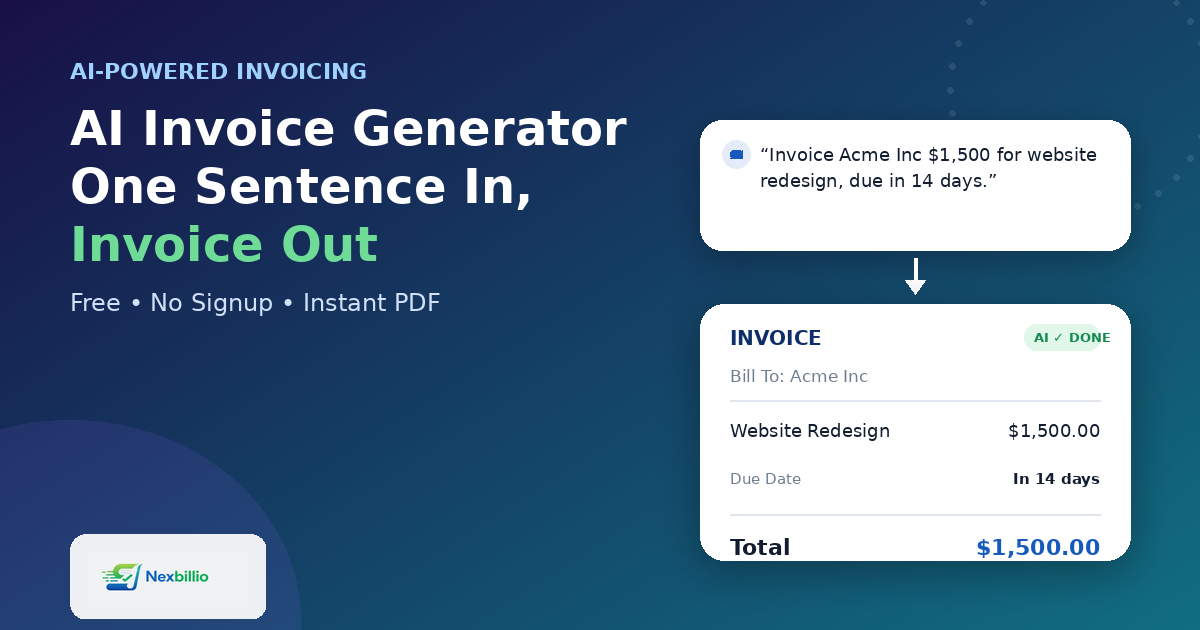
“AI-powered” gets stamped on almost everything now, and invoicing tools are no exception. But an invoice is one of the few business documents where the format barely changes — a client name, some line items, a total, a due date. So it’s fair to ask: what is an AI invoice generator actually doing differently, and is it worth using over a plain template? The honest answer is that it depends entirely on where the AI is doing the work. Used well, it removes the parts of invoicing that waste your time. Used badly, it’s a gimmick sitting on top of a form you’d have filled out faster yourself. What “AI Invoice Generator” Should Actually Mean Strip away the marketing language and a genuinely useful AI invoice generator does a few specific things: That’s a very different bar than “there’s a chatbot in the corner of the screen.” A lot of tools that call themselves AI invoice generators are really just old templates with a new label. The test is simple: does the AI reduce the number of things you have to type and fix, or does it just sit there while you do all the same work anyway? Where This Actually Matters: Speed and Accuracy Two things separate a genuinely helpful ai generated invoice tool from a decorative one. Speed. A freelancer or small business owner sending an invoice mid-project doesn’t want to open a new tab, log in, click through a template picker, and manually enter ten fields. A well-built ai invoice template generator should get you from “job description” to “finished PDF” in under a minute, not five. Accuracy. Manual invoicing is where small business owners lose money without noticing — a missed tax rate, a total that doesn’t match the line items, a due date that got typed wrong. Good AI-assisted invoicing catches these automatically, because the math and formatting are handled by the system instead of by a tired person doing it at 11pm. This matters even more once volume goes up. A business generating a handful of invoices a month can get away with doing everything by hand. Once that number climbs, the manual approach starts costing real hours — and this is really where generative AI invoice management earns its keep: less about novelty, more about not repeating the same twenty clicks every single time. What to Actually Look For in a Free AI Invoice Generator If you’re comparing tools, skip the marketing copy and check for these instead: A lot of tools promoted as a best ai invoice generator free option turn out to gate the actual PDF download behind a signup or a subscription. That defeats the purpose — the whole appeal of an AI-assisted tool is removing friction, not adding a new kind of friction at the very last step. How NexBillio Approaches This NexBillio was built around that exact idea: the AI should be doing the boring parts, not adding a layer on top of them. It works as a free ai invoice generator online, with no signup required to create and download a finished invoice. In practice, that looks like: It’s a small tool solving a small but constant problem — the goal isn’t to reinvent invoicing, just to remove the parts of it that were never worth anyone’s time in the first place. The Real Test Before trusting any tool labeled as an AI invoice generator, try this: describe one real invoice you need to send, and time how long it takes from start to finished PDF. If it’s genuinely faster than typing it out manually — and the result still looks right — the AI is earning its place. If it isn’t, it’s just a label.

Best Invoice Generator for Freelancers: What Actually Matters in 2026

best invoice generator for freelancers

Freelancing sounds simple until you send your first invoice. You finish the project, feel good about it, then open a blank Word document and realize you have no idea how to lay out a bill that looks like it came from someone who’s done this before. That gap between “great at the work” and “great at getting paid for the work” is where most freelancers lose time, and sometimes money. An invoicing tool is supposed to close that gap. Not all of them do it the same way, and that’s the part worth slowing down on before you pick one. Why Freelancers Need a Different Kind of Invoicing Tool Small businesses with staff and inventory need accounting software with dozens of moving parts. A freelancer usually needs something much narrower: a clean bill, sent to one client, for one project, with a due date that’s impossible to misread. That’s really what a good invoicing platform for freelancers is built around — speed and clarity, not a dashboard full of features you’ll never touch. When people search for the best invoicing for freelancers, they’re rarely asking for payroll tools or inventory tracking. They want three things: Everything else is extra. The Problem With Most “Free” Invoicing Apps Search for a free invoice generator for freelancers and you’ll find dozens of options within seconds. The catch shows up after you’ve already built the invoice: a locked PDF, a watermark you have to pay to remove, or a five-invoice monthly cap that hits right when you’re busiest. This is where a lot of freelancers get burned. They pick a tool during a slow month, get comfortable with it, and then hit a paywall the moment work picks up. A freelance invoice generator that’s genuinely free shouldn’t punish you for having a good month. There’s also a quieter problem: bloated software. Invoicing apps built for agencies often bury the actual invoice form under settings, integrations, and onboarding screens. If it takes you fifteen minutes to send a $200 invoice, the tool isn’t saving you time — it’s costing you time you can’t bill for. What a Solid Invoicing System Should Actually Give You Before picking any invoicing software for freelancers, it helps to know what separates a tool worth keeping from one you’ll abandon after a month: That list looks simple, but very few tools hit all five without also trying to upsell you into a bigger accounting suite you didn’t ask for. Where NexBillio Fits Into This This is exactly the gap NexBillio was built to close. It’s a free online invoice generator made specifically for people who bill clients directly — freelancers, consultants, small studios — without the accounting-software baggage attached. A few things freelancers notice right away once they try it: It’s not trying to be everything. It’s trying to be the fastest, cleanest way to turn finished work into a bill a client takes seriously — which, for most freelancers, is the entire point of an invoicing tool in the first place. A Quick Gut Check Before You Send Your Next Invoice Next time you’re about to bill a client, run through this in your head: If any of those answers is “no,” it’s worth trying a different tool — not because your work isn’t good enough to get paid on time, but because the invoice is often the first and only impression a new client has of how seriously you run your freelance business. Getting paid shouldn’t be the hard part of freelancing. The work already is.

Free Invoice Generator Online: Create Professional Invoices in Minutes

free invoice generator

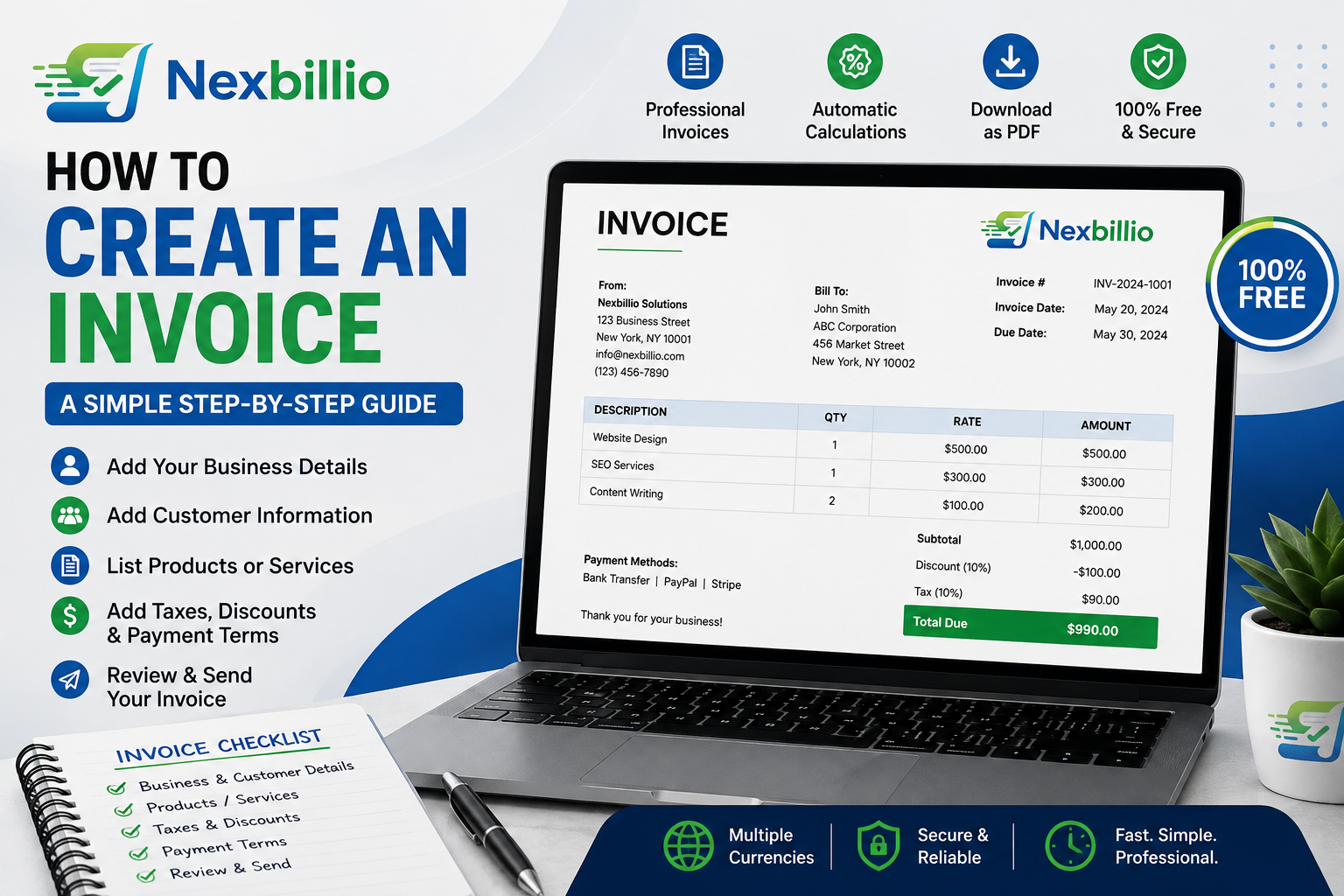
Looking for a free invoice generator that does not make billing feel like a full-time job? You are not alone. Freelancers, small businesses, contractors, consultants, agencies, and independent professionals often need something much simpler than a large accounting platform. They need to enter a few details, calculate the bill correctly, create a professional document, and send it to the customer. That is where an online invoice generator can make a real difference. Instead of opening a spreadsheet, adjusting columns, checking formulas, changing dates, and fixing the layout every time, you can use an invoice maker to build the document from a structured form. A good free invoice generator should save time without making the final invoice look cheap or unfinished. What Is a Free Invoice Generator? A free invoice generator is an online tool that helps you create an invoice without designing the document manually. You normally enter: The tool then organizes the information into a professional invoice. Some tools also let you add a business logo, notes, payment terms, shipping charges, and other details. The main advantage is simple: you spend more time entering the information and less time formatting the document. Why Use an Online Invoice Maker? You could build an invoice in a spreadsheet or document editor. Many people do. But manual invoice creation becomes frustrating when you start sending invoices regularly. You may have to duplicate an old file, rename it, change the invoice number, replace the customer information, update prices, check the formulas, and make sure the final file still looks right. An online invoice maker can streamline those steps. It saves time You start with a structured invoice rather than a blank page. It reduces calculation mistakes Automatic totals are useful when an invoice has several products, services, discounts, or taxes. It keeps the layout consistent The invoice structure stays organized instead of shifting around as you edit cells or text. It looks more professional A clean invoice with consistent branding can leave a better impression than a rushed document. It works from different devices A browser-based tool is convenient when you need to create an invoice from a laptop, desktop, tablet, or phone. What Makes a Good Free Invoice Generator? Not every tool that uses the word “free” offers the same experience. Before choosing a free invoice creator, look at what it actually allows you to do. Easy invoice creation The basic workflow should be obvious. You should not need to learn complicated accounting software just to create one bill. Professional formatting The finished document should be easy to read. Your customer should be able to locate the invoice number, total amount, due date, and payment information without searching through the page. Automatic calculations The generator should correctly handle quantities, rates, subtotals, taxes, discounts, and totals. Branding options A logo and consistent business information can make an invoice look more established. PDF output A PDF invoice is convenient because the layout is preserved when it is shared with a customer. Useful payment fields A good invoice should give you room to explain how customers can pay. Flexible currency and tax options Businesses serving customers in different regions may need more than one currency or tax format. Nexbillio currently supports these types of fields, including logo upload, multiple currencies, tax and discount calculations, shipping or handling charges, payment terms, notes, bank/payment details, and PDF-ready output. The current homepage also states that the tool can be used without signup. Create an Invoice Online With Nexbillio Nexbillio is built for people who want to create a professional invoice without turning the process into a software project. The invoice page starts with the information that matters. You can enter your business details and customer details, add line items, select a currency, set the invoice number and dates, and then add the amounts for the products or services you are charging for. You can also add a logo to keep the invoice connected to your brand. When taxes or discounts apply, they can be included in the calculation rather than worked out separately on a calculator or spreadsheet. The result is an invoice that is ready to review and turn into a PDF. How to Use a Free Invoice Generator Creating an invoice online can be broken into a few straightforward steps. Step 1: Enter your business information Add the name and contact details your customer needs. If you have a logo, upload it so the invoice matches your business identity. Step 2: Enter the customer’s information Add the customer’s name, company, email, and billing details. Double-check spelling and addresses. Step 3: Set the invoice details Add the invoice number, issue date, due date, and payment terms. These details help both you and your customer keep track of the bill. Step 4: Add your products or services Create one line for each item. Include the description, quantity, and unit price. Be specific. Instead of “Consulting,” write something like “Business strategy consultation — 3 hours.” Step 5: Apply tax or discount Add the applicable tax rate and any agreed discount. Check that the totals make sense before sending the invoice. Step 6: Add payment information Tell the customer how to pay. You can include bank details, payment instructions, or other accepted methods. Step 7: Review and download Look through the complete invoice one final time. Then create the PDF and send it to your customer. Free Invoice Generator vs. Free Invoice Template These terms sound similar, but they are not exactly the same. A free invoice template gives you a design to fill out. A free invoice generator gives you a process for producing the completed invoice. A template can still be useful for simple billing. A generator is often more convenient when you want to create invoices repeatedly. With a template, you may still need to calculate totals manually. With a generator, calculations and formatting can be handled as part of the workflow. Who Can Use a Free Invoice Maker? Almost any business that bills customers can … Read more

Free Invoice Generator Online: How to Pick the Right One in 2026

Free invoice generator online - how to choose the right invoicing tool

Type “invoice generator” into Google and you’ll get roughly forty tools claiming to be the fastest, simplest, or most professional option out there. Some are genuinely free. Some say “free” and then ask for your card details on the download screen. A few dress themselves up as “AI invoice generators” without actually doing anything an AI needs to do. If you’ve landed here because you just want to bill a client today and you’re tired of comparing tabs, this guide should save you the trial-and-error. We’ll break down what actually makes a free invoice generator worth using, where a lot of tools quietly fall short, and how to tell within thirty seconds whether the one you’ve opened is right for the job in front of you. What “Free Invoice Generator” Actually Means (Because It’s Not Always Free) Before picking a tool, it’s worth being clear about what separates a genuinely free invoice generator from one that just uses the word “free” as bait. A tool earns the label if it lets you: A lot of tools fail on at least one of these. Some cap you at a couple of free invoices a month. Some strip your logo unless you upgrade. Some require an account and email verification just to unlock the download button, which defeats the point if you needed the invoice five minutes ago. NexBillio: The No-Signup, No-Cap Option NexBillio sits firmly in the “just get it done” category. You open the tool, fill in your business and client details, add line items, and download a finished PDF invoice. No account, no email verification, no invoice limit. What stands out: The trade-off is honest: NexBillio doesn’t save your client list between sessions or send automatic payment reminders, because it isn’t trying to be a full accounting system. It’s built for people who want a clean, correct invoice fast, not a dashboard to log into every morning. The Other Two Types of “Free” Invoice Tools You’ll Run Into Search around long enough and you’ll notice free invoicing tools generally fall into two other buckets, beyond a standalone generator like NexBillio. All-in-one accounting suites. These bundle invoicing together with client management, recurring billing, a customer portal, and time tracking, all wrapped inside a login you have to create and maintain. They’re genuinely feature-rich, and if you’re already running your business through that ecosystem’s other apps, the invoicing piece slots in neatly and shares your data automatically. Where it gets less convenient is for someone who just needs one invoice today, without any long-term commitment. Getting the full feature set means setting up an account first, and the interface is usually dense, built for people willing to spend time learning where things live. Payment-app companion generators. Some money-transfer and payment platforms offer a basic invoice generator as a side feature, mainly so you can bill a client and reference your payment details in the same document. These are convenient if you’re already using that payment app day to day, but they tend to have real limitations once you dig in: uploaded logos not always rendering correctly, no ability to set a different tax rate per line item, and a fairly limited choice of templates compared to a dedicated invoicing tool. They work best as a lightweight add-on to a payment account, not as a standalone invoicing solution for a business with varied billing needs. Neither type is “bad”, they’re just built for a different job than a quick, one-off invoice. Side-by-Side Comparison Feature NexBillio All-in-One Accounting Suite Payment-App Generator Signup required No Yes Account helpful, not always required Invoice cap None Generous, usage-based None advertised Per-item tax rates Yes Yes No Logo upload Reliable Yes Inconsistent, per user reports Multi-currency 100+ currencies Yes Strong, tied to the payment account Document types Invoice, quote, receipt, proforma, estimate, credit note Invoice, quote, recurring billing Mainly invoices Best for Quick, one-off, professional invoices Repeat clients needing a full system Users already inside that payment ecosystem What About “AI Invoice Generators”? You’ll see more tools branding themselves as AI invoice generators these days, and it’s worth being honest about what that actually means. For a standard invoice, the heavy lifting, calculating totals, applying tax, formatting line items, doesn’t need artificial intelligence. A well-built calculator and a clean template already do that job accurately. Where AI genuinely adds value is in different tasks entirely: scanning a pile of receipts and auto-categorizing expenses, pulling line items out of a messy email thread, or flagging anomalies across hundreds of invoices in a large business. If you’re creating a single, clean invoice for a client, the “AI” label is often more marketing than function. What actually matters is whether the tool calculates correctly, looks professional, and gets to your client without friction. Invoice Generator vs. Excel or Word Templates A fair number of people searching for an invoice generator are really deciding between a generator and a static template in Excel or Word. Both have a place: If you send more than the occasional invoice, a generator saves real time over re-doing the math in a spreadsheet every time a line item changes. A Note for US-Based Businesses If you’re invoicing within the US, keep in mind there’s no federal VAT system to account for, most invoices just need a clear subtotal, applicable state sales tax if relevant, and the total due. Compared to VAT-heavy markets like the UK or EU, US invoices tend to be simpler to format, which is one reason a lightweight generator often covers everything a US freelancer or small business needs without extra complexity. Simple vs. Professional: Picking the Right Invoice Style “Simple invoice generator” and “professional invoice” show up as two different searches, but they’re really two ends of the same spectrum. A simple invoice strips things down to the essentials: business name, client name, line items, total. A professional invoice adds branding, a logo, consistent formatting, and sometimes a short payment terms section. The good news is you don’t have to … Read more

Invoice Templates for Every Industry: Trucking, Medical, Catering, Electrical, Legal & More

A trucking company and a bakery both send invoices, but they don’t send the same invoice. One needs load numbers, mileage, and delivery dates. The other needs order details and maybe a note about a standing weekly account. Generic advice like “just fill in a template” only gets you halfway. The fields that actually matter change depending on what you do for a living. This guide walks through how to build an invoice properly, then breaks down what to include for a handful of specific industries, trucking, electrical, medical, catering, legal, and more. So you’re not guessing which fields your invoice is missing. How to Create an Invoice, the Short Version Before getting into industry specifics, here’s what every invoice needs regardless of what you sell: That’s the skeleton. If you’re wondering how to create a business invoice for the first time, starting with these seven fields covers you legally and practically in almost any industry, before you add anything specific to your trade. Free Invoice Maker vs. Word, Excel, or InDesign Templates There are three broad ways people put an invoice together, and each comes with trade-offs worth knowing before you pick one. A free online invoice maker (like a browser-based generator) calculates totals and tax automatically, formats everything consistently, and exports straight to PDF. You don’t need design skills or spreadsheet formulas, you fill in fields and download. Word or Google Docs templates are easy to open on any device and simple to edit by hand, but they don’t calculate anything. If you’re wondering how to create an invoice in Word, the honest answer is: it works fine for a handful of invoices a month, but you’re doing the math yourself, and one wrong subtotal can mean an underbilled client. Excel templates let you build formulas so totals update automatically, which is genuinely useful if you know your way around spreadsheets. The catch is that formatting breaks easily; add or delete a row and suddenly your borders or totals are off, and you’re troubleshooting a spreadsheet instead of running your business. Design tools like InDesign give you the most control over layout and branding, which some larger businesses use for a polished, print-ready look, but it’s overkill for sending a routine invoice, and most clients care more about clarity than typography. If you’re asking “is there a free invoice maker that just works without a learning curve,” a browser-based generator is usually the fastest answer, especially once you’re sending more than two or three invoices a month. Industry-Specific Invoice Templates Here’s where the details actually change based on what you do. Trucking and Transport Invoices A trucking invoice sample needs more logistics detail than a standard service invoice. Include: Transport invoices in general benefit from a clear breakdown between the base rate and any additional charges like waiting time or extra stops, since disputes in this industry usually come down to “what was actually agreed on” versus what showed up on the final bill. Electrical, Flooring, and Contractor Invoices An electrical invoice template or a flooring installation invoice template should separate labor from materials clearly. Clients want to see: The same structure applies well to a garage invoice template or a concrete invoice, jobs where the client is paying for both physical materials and skilled labor, and wants to see what portion of the bill covers each. Medical Invoices A medical invoice carries more compliance weight than most other categories. Depending on your region, this typically needs: Because of privacy regulations in most regions, medical invoices also need careful handling of what personal information gets included and how the document is stored or transmitted. Restaurant, Catering, and Bakery Invoices A restaurant invoice generator setup is usually simpler than the categories above, but catering and bakery orders often involve advance deposits and event-specific details. For a catering invoice, include: A bakery invoice for a custom order (a wedding cake, for instance) benefits from the same deposit-versus-balance structure, since custom food orders are rarely paid in full upfront. Legal and Bookkeeping Billing A legal billing template usually bills by the hour or by a flat fee per matter, and clients expect transparency on both. Include: A sample bookkeeping invoice follows a similar logic: separate the recurring monthly fee (if you charge one) from any one-off work, like a specific reconciliation project or year-end cleanup, so the client can see exactly what they’re paying for each month. Musicians, Tutors, and Freelance Creatives A musician invoice template typically covers a single gig or a series of bookings. Useful fields include: A sample tutoring invoice works well with a similar structure: session date, duration, hourly rate, and a running note if you’re invoicing for a block of sessions rather than one at a time. VAT and UK-Style Commercial Invoices If you’re invoicing in the UK or anywhere with VAT, a standard invoice needs extra fields that don’t apply in the US. A proper VAT invoice template includes: A commercial invoice template in Word format is common for cross-border shipments too, since customs authorities often want to see the goods description, value, and country of origin clearly laid out, separate from a standard domestic invoice example UK businesses use for local clients. Beyond the Invoice: Quotes, Proforma, and Receipts Invoicing rarely happens in isolation. Most businesses move through a small family of related documents before and after the invoice itself: Using one tool that generates all of these in a consistent format (rather than a separate template for each) keeps your documents looking like they came from the same business, which matters more than people expect when a client is comparing paperwork from several vendors at once. Making Repetitive Billing Less Manual If you’re issuing the same type of invoice regularly, whether that’s an automated invoice template for a subscription service or a recurring bill for a maintenance contract, a few habits cut down on repeated manual work: On the “AI invoice template” trend: some tools now market AI-assisted invoice creation, mainly auto-filling … Read more

Best Invoicing Software for Freelancers in 2026

Best invoicing software for freelancers 2026 comparison

Somewhere between finishing the project and getting paid for it, most freelancers lose momentum. The work’s done, the client’s happy, and then invoicing turns into an afterthought scribbled in a Google Doc or, worse, a half-remembered template from three clients ago. It’s not that freelancers don’t care about getting paid. It’s that invoicing sits at the exact point in the workflow where nobody wants to spend more time than necessary. The good news is that the invoicing software market in 2026 is genuinely crowded, which means there’s something for almost every situation, from a photographer billing five clients a year to a consultant juggling forty. The tricky part is figuring out which tool actually fits you, instead of paying for a bloated platform built for a ten-person agency. Here’s a straight breakdown. What You’re Actually Comparing Before getting into specific tools, it helps to know what separates them, because “invoicing software” covers a wide range of products: None of these is objectively “the best.” The right one depends on how many clients you have, whether you bill hourly or per project, and how much you actually want to manage inside the invoicing tool itself. The Free-Tier Trap Worth Knowing About Here’s something most comparison articles gloss over: a lot of “free” invoicing software isn’t free in practice once you look closely. None of this makes those tools bad, most are genuinely well built. But if you’re a freelancer who bills six or seven clients a year and just needs a clean, professional invoice each time, paying a monthly fee (or hitting a client cap) for features you’ll rarely touch, like recurring billing automation or built-in payment processing, doesn’t make a lot of sense. When a Free Invoice Generator Beats a Full Platform If your invoicing needs are straightforward, create a professional bill, apply the correct tax, send it, get paid, a dedicated invoicing platform can be overkill. This is where a tool like NexBillio fits in differently from the subscription-based names above: The honest trade-off: you won’t get a saved client database, automatic payment reminders, or recurring billing that fires off invoices on a schedule. If retainer clients and automated follow-ups are central to how you work, a paid platform earns its cost. But if most of your billing is one project at a time, a free generator does the job without you paying a monthly fee for features that sit unused. Comparing the Options at a Glance Tool Free Tier Client Limit Best For NexBillio Fully free None One-off invoices, freelancers with variable client counts Zoho Invoice Free 5 clients Freelancers with a small, stable client base Wave Free (fees on payments) None Freelancers who want basic bookkeeping alongside invoicing Invoice Ninja Free 5 clients Freelancers who prefer open-source, self-hosted tools FreshBooks Paid only Plan-based Freelancers wanting automated reminders and polish Bonsai / Plutio Paid only Plan-based Freelancers who also need contracts, proposals, and CRM How to Actually Pick One A few honest questions, rather than a generic checklist, tend to narrow this down fast: A Quick Word on Getting Paid Faster Whichever tool you land on, a handful of habits move the needle more than the software itself: The Bottom Line There isn’t a single “best” invoicing tool for freelancers, only a best fit for how you actually work. If you’re managing a steady roster of retainer clients and want automated reminders, a paid all-in-one platform like FreshBooks or Bonsai will likely pay for itself. If your billing is more irregular, project by project, client by client, a free, no-signup invoice generator like NexBillio gets you a professional, accurate invoice in a couple of minutes without adding another subscription to the pile. Try a couple of tools before settling. Most of the free tiers cost nothing to test, and the right fit usually becomes obvious after your second or third invoice.

Complete Invoice Generator Guide for Small Business and Freelancers

Tips to get paid faster

Your biggest frustration probably isn’t actually invoicing. It’s getting paid. You finish a project. You send an invoice. Then you wait. And wait. Two weeks pass. You send a reminder. Another week. Finally, payment arrives. You just lost 20-plus days of cash flow because of administrative friction. For freelancers and small business owners, cash flow isn’t theoretical. It’s rent, payroll, suppliers, and survival. Getting paid on time isn’t a nice-to-have — it’s essential. The right invoicing strategy, starting with the right tool and process, can compress this timeline dramatically. Research shows that businesses using professional invoice generators get paid 20 to 30 percent faster than those using informal methods. For a freelancer invoicing $10,000 monthly, 30 percent faster payment means $30,000 additional working capital flowing through your business yearly. This guide walks through exactly how small businesses and freelancers should think about invoicing, which tools work best, and how to optimize your entire invoicing process for speed and reliability. Invoice Generators For Freelancers & Businesses Why Invoicing Directly Impacts Your BusinessInvoicing isn’t just administration. It’s a business strategy. Cash flow is survival. Every day you wait for payment is money you can’t invest in inventory, equipment, or team. Freelancers and small businesses operate on thin margins. Cash delays create stress and limit growth. Professional invoicing accelerates payment. Studies from the Association for Financial Professionals show professional invoices get paid 23 percent faster than informal ones. The gap between a quality invoice and a sloppy one is 20-plus days of waiting. Invoicing systems scale automatically. As your business grows, manual invoicing becomes impossible. A system that works for 5 clients breaks at 50 clients. The right tool scales effortlessly. Documentation protects you legally. Professional invoices create a paper trail. If a client disputes payment, argues about scope, or files bankruptcy, you have documentation proving the work, rates, and terms agreed. Invoicing data informs business decisions. Organized invoicing reveals which clients pay slowly, which projects are most profitable, and where you waste time. Professional invoices build trust. Clients take professional invoices more seriously than casual payment requests. A polished invoice signals legitimacy — clients pay the serious person who looks organized. The bottom line: invoicing isn’t paperwork. It’s cash flow management and business strategy wrapped into one process. The Freelancer Invoicing ChallengeFreelancers face unique invoicing challenges compared to traditional businesses. Irregular income means some months you bill $15,000, others $5,000. You can’t predict exactly when payment arrives, creating budgeting challenges. Professional invoicing systems help you forecast based on due dates rather than hoping payment will arrive. Multiple client payment preferences create chaos. Client A pays via bank transfer, Client B wants PayPal, Client C mails checks. Consolidating payment information in invoices prevents confusion. Scope creep and billing disputes are common. “I thought you included revisions” is a familiar conflict. Detailed invoices listing exactly what’s included prevent these disputes. Clear itemization means fewer arguments about what was promised. No accounts payable department means freelancers are the sole person responsible for invoicing, following up, and tracking payment. Automated reminders and organized systems are essential. Tax complexity adds another layer. Many freelancers operate across multiple jurisdictions — local, national, sometimes international clients. Managing different tax requirements in one invoicing system is critical. Late payment stress is real. When income is irregular, late payment creates genuine stress. Getting paid 3 weeks early rather than 3 weeks late is life-changing for cash flow. The Small Business Invoicing StrategySmall business owners face different but equally real challenges. Growing invoice volume is inevitable. You start with 5 clients. Two years later, you have 50. A system that worked for 5 breaks at 50. You need a tool that scales without requiring you to hire bookkeeping staff. Multiple team members need access. Your assistant sends invoices, your partner reviews payments, your accountant needs records. You need a system multiple people can access and update. Tax and compliance requirements are formal. You need invoices that properly track revenue, calculate tax correctly, and generate records for audits. Connecting invoicing to accounting becomes necessary as you grow. Invoicing connects to accounting, inventory if you sell products, expense tracking, and financial reporting. A system that integrates all this prevents errors and saves time. Cash flow forecasting becomes possible with organized invoicing. An organized system enables accurate cash flow projections, which drives better business decisions. Client relationships depend on professionalism. A business that sends clear, professional invoices looks more trustworthy than one with inconsistent formatting. Choosing Between Invoice Generator TypesDifferent situations call for different tools.Simple invoice generators like Nexbillio and Invoice Generator are perfect if you invoice less than 50 times per month, invoice individually rather than on a recurring schedule, don’t need payment collection, want minimal setup time, and prefer simplicity over features. Simple tools work great as long as invoicing volume stays manageable. Feature-rich free platforms like Zoho Invoice and Wave make sense if you invoice 50 or more times monthly, need recurring invoices, want payment collection features, need invoicing plus basic accounting, or have multiple team members. These platforms handle volume better and include features that save time at scale. Premium invoicing software like FreshBooks or QuickBooks Online becomes necessary if you invoice 500 or more times monthly, need advanced accounting integration, require multi-location or multi-entity support, have complex tax requirements, or need dedicated support. Most small businesses never reach this level. Building Your Invoicing SystemHaving the right tool matters. Having the right process matters more. Here’s how to build a system that accelerates payment. Start by setting up your defaults once. Take 30 minutes upfront to enter your business name, address, logo, payment methods, payment terms, and standard notes. These become defaults for every invoice, so perfect them once and you’re done. This initial investment pays dividends because every invoice going forward takes 2 minutes instead of 5. Multiply by 100 invoices and you’ve saved 300 minutes of work annually. Establish clear payment terms upfront. Before starting any project, confirm payment terms with the client. Is it 15, 30, or … Read more

Best Free Invoice Generators and Templates

free invoice generator features

You’re drowning in payment administration. Clients ask “Where’s my invoice?” Multiple tools scattered across your computer. Payment tracking is chaos. You need invoicing solved — now. The good news? Free invoice generators have evolved significantly. What started as basic PDF templates has become sophisticated, professional tools that rival paid software. Many are completely free, require no signup, and get the job done in minutes. But not all are created equal. Some are overly complicated. Others are too minimal. Some push paid upgrades relentlessly. Finding the right one matters because invoicing isn’t a one-time task — it’s something you’ll do repeatedly. Choose wrong, and you’ll waste time every single week. We’ve tested the leading free invoice generators and compared them directly. This guide shows you exactly which tool works best for different situations, what you get for free, and where each one excels or falls short. What to Look for in an Invoice GeneratorBefore we compare tools, understand what actually matters when choosing an invoice generator. Ease of use beats everything. If the tool requires a Ph.D. in accounting to operate, you won’t use it. The best invoice generator is one so intuitive that you create an invoice faster than you could write an email. Look for tools with a clean interface, logical flow, and minimal required fields. No signup required saves time. Some generators let you create invoices instantly without creating an account. Others force signup before you do anything. Free tools that require no signup let you test them immediately. Account-based tools store your history and templates, which is convenient once you commit. Professional templates matter because appearance affects payment. Research shows professional invoices get paid 20 to 30 percent faster than generic ones. The tool should offer multiple template designs so you can choose one matching your brand. Customization options let you add your logo, set colors, and include specific information. Basic customization — logo, business name, colors — should be included free. Advanced customization might require paid plans. Mobile-friendly creation is increasingly important. Can you create invoices from your phone? Can clients view invoices on mobile? Mobile-first design means you can invoice from anywhere, not just your desk. Export options matter. Can you download as PDF? Could you export to other formats? Can you print directly? Multiple options give you flexibility for different situations. Payment features vary. Some tools let you collect payment directly through the invoice. Others just create the document. Decide if payment collection is important now or something you’ll add later. Data security and privacy can’t be overlooked. Where is your data stored? Free tools sometimes sell your data or display ads. Verify privacy policies before trusting sensitive client information. Support and resources help when you get stuck. Good support saves time and frustration. Free Invoice Generators Compared Head-to-Head 1. Nexbillio — Best Overall for SimplicityNexbillio is a browser-based invoice generator designed for simplicity. No desktop software, no installation, works on any device with a browser. What’s free: Unlimited invoice creation, professional templates, PDF download, multiple currencies, tax calculations, and all core features at no cost. Best for: Freelancers, small businesses, or anyone wanting straightforward invoicing without complexity. Perfect if you want to start immediately without signup. It works in-browser with zero setup required, offers multiple professional templates to choose from, supports 100-plus currencies, and has a clean minimal interface that won’t confuse beginners. There are no annoying upsells or limitations either. From landing on the site to downloading your first invoice takes 2 to 3 minutes. No account creation, no confusing options, no bloat. The limitations: No payment collection built-in, no client portal, no recurring invoice automation. These are paid features or not available. If you need those features, you’d upgrade or switch tools. For straightforward, fast invoicing, Nexbillio hits the sweet spot. It does one job exceptionally well without trying to be an entire business suite. 2. Zoho Invoice — Best for Full FeaturesZoho Invoice is part of Zoho’s business suite. It’s a full-featured invoicing platform with free and paid tiers. What’s free: Up to 1,000 invoices per year, unlimited clients, basic templates, expense tracking, time tracking, and online payment acceptance. Mobile app access included. Best for: Growing businesses, businesses that already use Zoho products, or anyone wanting invoicing plus accounting basics. Good if you’re building a business system, not just creating invoices. The free tier is genuinely powerful. You can accept payments directly through invoices, track time for service-based businesses, automate recurring invoices, give clients a portal to view invoice status, and access over 80 professional templates with multi-language support. Customization is excellent. You can customize nearly everything — invoice layout, custom fields, branded colors, email templates. You have the control of a paid system, free. Initial setup takes 10 to 15 minutes since you need to create an account and configure settings. After that, creating invoices is fast. The limitation is the 1,000 invoice per year cap. If you invoice more than about 83 invoices monthly, you’ll need a paid plan. 3. Invoice Generator — Best for MinimalistsThis is a no-frills, browser-based invoice tool. Literally just for creating invoices. Nothing else. What’s free: Complete invoice creation, PDF download, multiple currency support, unlimited invoices, zero cost, zero signup required. Best for: Extremely simplified needs — someone who just wants to create a quick invoice without any extra features. Also good for privacy-conscious users since no data is stored. Zero signup required means instant access. The interface only shows essential fields. It’s extremely lightweight with no tracking or ads, and completely privacy-friendly. From clicking the link to downloading a complete invoice: 60 to 90 seconds. The limitations are intentional. No logo upload on the free version, no recurring invoices, no payment collection, no client portal. It’s a one-trick pony, but it does that trick very well. 4. Wave — Best for Integrated AccountingWave is a Canadian accounting software platform with free invoicing, accounting, and payment collection. What’s free: Unlimited invoices, unlimited users, client portal, payment acceptance, expense tracking, basic financial reporting, … Read more

How to Create Professional Invoices Online: Complete Step-by-Step

How to create free invoice online

Invoicing doesn’t need to be complicated or expensive. Whether you’re a freelancer managing five clients, a small business owner handling multiple projects, or a startup looking to streamline operations, knowing how to create professional invoices online can save you time and help you get paid faster. The best part? You can do this completely free. This guide walks you through everything you need to know — from understanding invoice basics to generating your first professional invoice in minutes. We’ve included real examples, best practices, and exactly what to include so your invoices look credible and encourage faster payment. Why Creating Professional Invoices Matters Before we jump into the “how,” let’s talk about the “why.” An invoice is more than just a payment request. It’s often your first formal touchpoint with clients after the work is done. A well-crafted invoice does more than ask for money — it builds trust, speeds up payment, and protects your business. It sets professionalism expectations. Clients notice when you send polished, organized invoices. It signals that your business is legitimate and organized, which builds trust and confidence. Sloppy invoices raise red flags — even if your work was excellent. It accelerates payment. Studies show that professional, clear invoices get paid 20 to 30 percent faster than generic ones. Clients understand exactly what they owe, when it’s due, and how to pay you. No confusion means no delays. It protects your business legally. A proper invoice documents the transaction, creates a paper trail, and protects you in disputes. It shows the work performed, rates agreed, payment terms, and dates — all crucial if you ever need to follow up on late payments. It simplifies tax time. Instead of digging through emails and scattered notes, you have organized records of every transaction. This makes filing taxes, calculating income, and tracking expenses straightforward. It enables business growth. As you grow, you need systems that scale. Building good invoicing habits early means you can automate and streamline later without starting from scratch. What Every Professional Invoice Must IncludeAn invoice without the right information creates confusion and delays payment. Here’s what belongs on every invoice you send. Your business information sits at the top. This includes your business name, address, phone number, and email. If you’re a freelancer, this is your personal info and possibly your business name. Clients need to know exactly who to contact with questions. Your invoice number uniquely identifies each invoice. Number them sequentially — 001, 002, 003, and so on. This makes tracking invoices easy and looks professional. It also helps you reference specific invoices in follow-up conversations. The issue date tells clients when you sent the invoice. The due date is equally important — it tells them when they need to pay. Most businesses use 15, 30, or 45-day payment terms, depending on the client relationship and industry norms. Client information includes their name, business name if applicable, address, and contact details. Make it clear who the invoice is for. If you work with large organizations, include the specific department or person responsible for payments. Itemized description of work or products breaks down exactly what you’re billing for. Don’t just write “Services.” Instead write “Website design consultation — 3 hours at $75/hour” or “Content writing — 5 blog posts.” Be specific. Vague descriptions create questions and delay payment. Quantity and rate show how you calculated each charge. Include hourly rates, project fees, or per-unit pricing. This transparency eliminates negotiation after the work is complete. Clients know upfront what they’re paying for. Subtotal, taxes, and total amount are calculated automatically by invoice generators, but they’re critical. Show the subtotal before tax, then list any applicable taxes, fees, or discounts separately. The total at the bottom should be unmistakable. Payment terms and methods tell clients how and when to pay. Do you accept bank transfers, credit cards, PayPal, checks? What’s your payment deadline? Write something like “Payment due within 15 days of invoice date. Please send payment to [your payment details].” Notes or terms and conditions are your final chance to set expectations. You might write “Thank you for your business” or include a note about late payment fees. This is also where you’d mention any refund or revision policies. 5-Minute Steps to Create Your First InvoiceCreating an invoice online is actually faster than you’d think. Here’s exactly how to do it. Step 1 — Choose your invoice generator. You have options here. Free online tools like Nexbillio, Invoice Generator, Zoho Invoice, and Wave all offer free invoice creation without requiring credit card information. Pick one that feels intuitive to you. The best tool is the one you’ll actually use consistently. Open the tool and look for “Create New Invoice” or a similar button. Don’t worry about perfection — you can adjust settings after trying the first one. Step 2 — Upload your logo and fill in business details. This takes 30 seconds but makes a huge visual impact. Upload a PNG or JPG version of your logo. Then enter your business name, address, phone, and email. This information appears at the top of every invoice you create from now on, so you only enter it once. Step 3 — Enter client information. Add who you’re billing. Enter their company name, contact person, address, and email. If you work with the same client repeatedly, their information is saved for future invoices. The client information section clearly distinguishes between who’s sending the invoice and who’s receiving it. Step 4 — Add invoice details and dates. Set your invoice number. Select the issue date and the due date, typically 15 to 30 days from now. Most generators calculate due dates automatically — just select your payment terms. These dates give clients a clear deadline and help you track payment timing. Step 5 — List your services or products. For each item or service, write a clear description of what you delivered, enter the quantity, and enter the rate. The total calculates automatically. Add multiple line items if … Read more

AI Invoice Generator Free – Smart Billing in Seconds

AI invoice generator

Artificial intelligence is transforming the way businesses create  and manage invoices. An AI invoice generator uses machine learning to auto-fill billing details, suggest line items, calculate taxes and generate professional pdf invoices in seconds that is  completely free. Whether you are a freelancer looking for the best AI invoice generator free online, a developer exploring generative AI for invoice processing or a business owner searching for generative AI invoice management software, this comprehensive guide covers everything you need to know. This AI invoice generator is the #1 free AI invoice generator trusted by millions  and beating QuickBooks AI invoice generator, Zoho, FreshBooks and every other competitor on speed, features and value. Table of Contents  1. What Is an AI Invoice Generator? An AI invoice generator is an intelligent billing tool that uses artificial intelligence, specifically natural language processing , machine learning   and generative AI to automatically create, fill and format professional invoices without manual data entry. Instead of typing every detail yourself, you simply describe your service or select your industry and the AI generates a complete, accurate invoice in seconds. How AI Invoice Generation Works Traditional invoice generators require you to manually enter every field. AI invoice generators are fundamentally different: 3. Generate Invoice AI: How to Create an AI Invoice in 4 Steps This AI invoice generator makes billing effortless. Here is exactly how to generate invoice AI-powered in under 60 seconds: Step-by-Step: Generate Invoice with AI AI Invoice Generator Free Online, No Signup You don’t need to create an account to use our AI invoice generator free online. Simply: 4. AI Generated Invoice Template ; 15 Industry-Specific Designs AI Invoice Template Generator, Complete List of 15 Templates 5. Generative AI for Invoice Processing – Full Workflow Automation Beyond creating individual invoices, generative AI for invoice processing transforms your entire accounts receivable workflow. Invoice generative AI engine automates every stage of the invoice lifecycle: 5.1 What Is Generative AI Invoice Processing? Generative AI invoice processing refers to using large language models and machine learning algorithms to: 6. Generative AI Invoice restoration Software Invoice restoration matching outgoing invoices to incoming payments, is one of the most time-consuming tasks in any business. Generative AI invoice restoration software eliminates this manual work completely. What Does AI Invoice restoration does? 7. QuickBooks AI Invoice Generator – How This AI Invoice Generator Compares QuickBooks is one of the most recognized names in business accounting and their AI invoice generator is often the default choice for small businesses. But is QuickBooks AI invoice generator really the best option? Here is an honest, detailed comparison: AI QuickBooks Invoice Generator, What It Does QuickBooks online invoicing includes: QuickBooks AI Invoice Generator, The Problems NexBillio AI vs QuickBooks AI, side by side For the vast majority of freelancers, small businesses and independent contractors, free AI invoice generator delivers everything QuickBooks offers, at zero cost: 8. Free AI Invoice Generator – Top 9 Benefits Here are the 10 most important reasons why thousands of businesses switch to this invoice generator as their free AI invoice generator every day: 9. AI Invoice Template – Design Principles & Customization A great AI invoice template is not just filled in by AI; it is also designed by AI. NexBillio’s AI invoice template engine creates layouts that follow proven invoice design principles while matching your brand identity: What Makes a Great AI Invoice Template? AI Invoice Template Customization Options 10. AI Invoice Generator for Specific Use Case 10.1 AI Invoice Template for Freelancers & Creators The AI generates a freelancer invoice template that includes: 10.2 AI Generated Invoice Template for Small Businesses For small business owners, the AI invoice template generator creates invoices with: 10.3 AI Invoice Template for E-Commerce The AI creates e-commerce invoice templates complete with: 10.4 AI Invoice Template for Agencies & Consultants Agency and consulting firms get AI-generated invoice templates with: 10.5 AI Invoice Template for Contractors & Tradespeople 10.6 AI Invoice Template for Healthcare & Wellness 11. AI Invoice Generator for Specific Use Cases Best Free AI Invoice Generator for Freelancers Freelancers need speed, simplicity and professionalism. NexBillio’s AI invoice generator free tool is the best choice because: Best AI Invoice Generator for Small Business Small business owners need an AI invoice generator that handles volume, compliance and client relationships. InvoicePro delivers: Best AI Invoice Generator for Agencies Agencies billing multiple clients across multiple projects need AI that understands complexity: 12. Generative AI Invoice Management Software – Full Feature Guide Generative AI invoice management software goes far beyond creating individual invoices. It manages your entire billing ecosystem using AI. Here is everything InvoicePro’s generative AI does: Core AI Invoice Management Features How to Set Up Your AI Invoice Management System in 10 Minutes 13. AI Invoice Processing:  NLP & Machine Learning Explained For technically curious users and developers, here is how NexBillio’s AI invoice processing engine actually works under the hood: The AI technology behind Invoice Generation AI Invoice Data Security & Privacy All AI invoice processing at InvoicePro is governed by strict data protection principles: 14. Frequently Asked Questions – AI Invoice Generator Q1. What is the best AI invoice generator free online? NexBillio is the best AI invoice generator free online in 2025. It offers full generative AI invoice creation, 50+ AI-generated templates, AI restoration smart payment reminders and Stripe payment integration ,all completely free with no sign-up required. It outperforms QuickBooks, Zoho, FreshBooks and every other competitor on AI features while costing nothing. Q2. What is the difference between an AI invoice generator and a regular invoice generator? A regular invoice generator requires you to manually type every field. An AI invoice generator uses artificial intelligence to auto-fill your invoice from a text description, your billing history, or your client data, reducing a 10-minute task to less than 30 seconds. AI invoice generators also validate your invoice, suggest payment terms, detect errors and improve over time as they learn your billing patterns. Q3. Is the free AI invoice generator really free? Yes. NexBillio’s … Read more