Stripe Invoice Generator Free Online — Generate Stripe Invoice PDF Without Paying a Cent

stripe invoice generator

Every business owner who uses Stripe knows this feeling: a customer pays, the money shows up in the dashboard, and then the client emails asking for a proper invoice. You go into Stripe, look for a simple download button, and realize it is not as straightforward as it should be. If you have been there, you are not alone. Stripe is excellent at processing payments. But when it comes to generating clean, professional invoices — especially for payments that came in through payment links or one-off charges — it leaves a gap. That is exactly why so many freelancers, agencies, and online businesses now look for a Stripe invoice generator free online to fill that gap without spending extra money. This guide explains everything you need to know: what a Stripe invoice actually is, how to generate a Stripe invoice PDF in seconds, which free tools work best, and how Nexbillio makes the whole process faster and easier than anything else available. What Is a Stripe Invoice and Why Does It Matter A Stripe invoice is an official billing document that records a payment transaction made through Stripe. It shows the seller’s details, the buyer’s information, the items or services charged, applicable taxes, and the total amount collected. But here is the key distinction that confuses most people: a Stripe receipt is not the same as a Stripe invoice. A receipt is a confirmation that money changed hands. An invoice is a formal billing document that includes business details, a unique invoice number, itemized line items, and tax information. For most B2B payments, VAT-registered businesses, or clients who need to file expenses, a receipt is not enough. They need a proper invoice — one that looks professional and contains all the right information. Stripe does have a built-in invoicing feature, but it works best when you set it up in advance before charging a customer. If a payment already came in through a payment link, a Stripe Checkout session, or a manual charge, getting a clean invoice PDF out of Stripe’s dashboard takes several steps and is not always possible without upgrading your Stripe plan or using a third-party tool. That is where a free Stripe invoice generator becomes valuable. Why Stripe’s Built-In Invoicing Falls Short for Many Businesses Before jumping into solutions, it helps to understand the actual limitations people run into with Stripe’s native invoicing: None of this means Stripe is a bad product — it is exceptional at what it does. But the invoicing side is not its core strength, which is why so many people search for a way to generate Stripe invoice PDFs for free using a dedicated tool. How to Generate a Stripe Invoice for Free — The Practical Options There are a few different ways to handle Stripe invoice generation. Each approach has its own strengths depending on your situation. Option 1: Use Stripe’s Built-In Dashboard Invoicing This is the most direct route, and it works well when you set it up correctly from the start. To create and send an invoice directly from Stripe: Stripe then emails the customer a link to a hosted invoice page where they can pay, and they can download a PDF from that page directly. The catch: This works for new invoices going forward. If a payment already came in, this flow does not retroactively attach an invoice to it. You would need to create a separate invoice manually and mark it as already paid. Option 2: Use a Free Online Stripe Invoice Generator For businesses that need to generate invoices for past Stripe payments, or who want more control over the PDF layout and content, a free online tool is the faster and easier choice. Tools like Nexbillio let you create a fully professional invoice PDF without touching the Stripe dashboard at all. You enter the transaction details — amount, items, client info, tax — and download a clean, branded PDF in under a minute. No Stripe plan upgrade needed. No account required. This is especially useful when: Generate Stripe Invoice PDF Free — Step by Step with Nexbillio Here is exactly how to create a Stripe-related invoice PDF using Nexbillio at no cost: Step 1: Go to Nexbillio.com Open the free invoice generator. No sign-up is required. The tool opens directly in your browser on any device. Step 2: Upload Your Business Logo Click the logo upload area and add your brand image. This appears at the top of every invoice, giving it a professional, branded look that Stripe’s default format does not always provide. Step 3: Fill in Your Business Details Enter your business name, address, email, phone number, and VAT or tax ID if applicable. This information appears in the “From” section of the invoice. Step 4: Enter Your Client’s Information Add the client’s name, company, billing address, and any tax ID they have provided. This is critical for B2B invoices and international clients who need to claim VAT. Step 5: Set the Invoice Details Create a unique invoice number (you can use a format like INV-2025-001 or match your own numbering system). Set the invoice date to match when the Stripe payment was received. Add a due date — if the payment has already been collected, you can set the due date as the same as the invoice date and note it as paid. Step 6: Add Line Items from Your Stripe Payment List each product or service exactly as it appeared in your Stripe charge. Include the description, quantity, and unit price. The tool automatically calculates your subtotals. Step 7: Apply Tax Add your VAT, GST, sales tax, or applicable tax rate. Nexbillio calculates the tax amount and adds it to the total automatically — no manual math needed. Step 8: Add Payment Notes In the notes section, you can include your Stripe payment reference number, a thank-you message, your payment terms, or bank details for future reference. Step 9: Download the PDF Click Download PDF and your invoice is … Read more

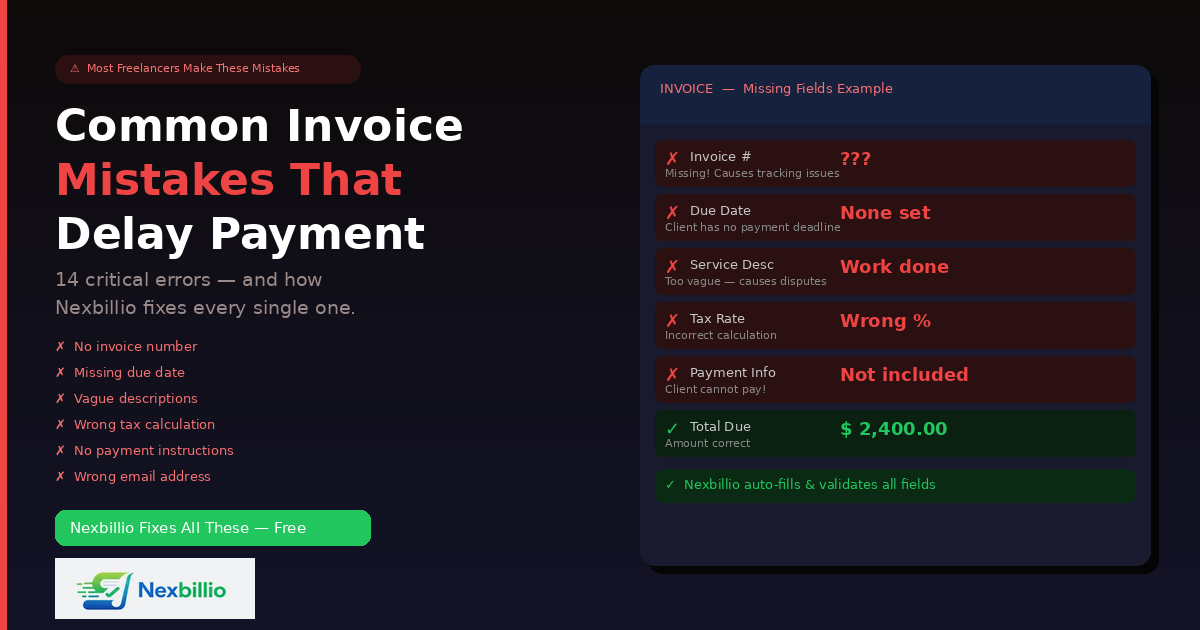
Common Mistakes People Make While Creating an Invoice — And How Nexbillio Makes the Whole Thing Easy

Common Invoice Mistakes & How Nexbillio Fixes Them Fast

Getting paid should be the reward for doing good work. But thousands of freelancers, contractors, and small business owners wait weeks longer than they should simply because their invoices have mistakes in them. Not big mistakes. Not intentional ones. Just small, fixable errors that create confusion, delay approvals, or give clients an excuse to push payment to the next billing cycle. The frustrating part is that most of these mistakes are completely avoidable. They happen because people are creating invoices manually, rushing through the process, or using tools that do not guide them through the right fields. The result is lost money, strained client relationships, and hours wasted chasing payments that should have arrived automatically. This guide covers every major invoice mistake that freelancers and businesses make, explains exactly why each one causes payment delays, and shows how Nexbillio’s free online invoice generator eliminates each mistake — often without the user having to think about it at all. Why Invoice Mistakes Cost You More Than You Think Before getting into specific mistakes, it helps to understand what an invoice error actually costs. The most obvious cost is time. Every invoice that gets questioned, bounced back, or ignored is an invoice you have to follow up on. That follow-up takes time — time that could have gone into client work or business development. The second cost is trust. A client who receives an invoice with the wrong amount, missing tax details, or an incorrect company name starts to wonder about the professionalism of the person they hired. That first impression in the billing stage shapes how quickly they pay and whether they hire you again. The third cost is cash flow. If your invoice is due Net 30 and gets kicked back for corrections on Day 15, the clock resets. Your 30-day wait just became a 45-day wait — and in the meantime, your rent, subscriptions, and supplier payments are due. None of these costs are dramatic in isolation. But they compound. A freelancer who sends slightly wrong invoices consistently might be operating with a 20% longer average payment window than they need to — simply because of fixable errors. Mistake 1: Leaving Out a Unique Invoice Number An invoice without a unique reference number is like a package without a tracking number. It exists, but nobody can find it, reference it, or confirm it. When a client’s accounts payable department receives your invoice, the first thing they do is log it against a reference number. If your invoice does not have one — or worse, if you sent two invoices with the same number — their system breaks down. The invoice gets flagged, sits in a review queue, and payment is delayed while someone manually sorts out the confusion. Beyond client-side processing, invoice numbers matter for your own records. When you are filing taxes, reviewing annual revenue, or chasing an overdue payment months later, you need to be able to refer to “Invoice INV-0047” rather than “the invoice I sent to that client in March, the one for the website project.” How Nexbillio handles it: Nexbillio automatically generates a sequential invoice number for every new invoice — starting at INV-0001 and incrementing from there. You can customize the format if you prefer a year-based system like 2026-001. The number appears clearly on the invoice, and you never have to remember what number you last used. Mistake 2: Not Including a Due Date This is the single most common reason freelancers get paid late. An invoice without a due date is an open invitation to procrastinate. Most clients will not pay on the day they receive your invoice unless there is a clear deadline attached to it. Without one, it sits in their inbox until they get around to it — which often means never, until you chase them. “Due on Receipt” sounds clear, but in practice it is vague. Does that mean today? This week? Before the end of the month? Different clients interpret it differently. A specific date removes all ambiguity. Psychology plays a role here too. A payment due on October 30 sits in a mental bucket labeled “October.” A payment with no due date sits in a mental bucket labeled “whenever.” Only one of those buckets gets emptied consistently. How Nexbillio handles it: Nexbillio includes a dedicated Due Date field on every invoice, right next to the issue date. It also offers preset payment terms — Due on Receipt, Net 7, Net 15, Net 30, Net 45, and Net 60 — which automatically populate the due date based on the issue date you enter. You can also set a custom date if the project calls for it. Mistake 3: Vague Service Descriptions “Design work — $800.” What design work? For which project? Covering what deliverables? On which platform? Vague line item descriptions are one of the most common causes of invoice disputes. The client receives a bill for something they cannot immediately match to a deliverable, and they send it back asking for clarification. You explain. They update their records. More time passes. Payment happens later than it should. Even in the absence of a dispute, vague descriptions create accounting headaches on the client side. Their bookkeeper needs to categorize expenses. If your description does not tell them whether your work was a one-time project or an ongoing service, a digital deliverable or a physical product, a creative service or a consulting engagement, they have to ask. Clear descriptions also protect you legally. If a payment dispute ever escalates, an invoice that says “Website redesign — 5 pages, including homepage, about, services, contact, and blog — $3,200” is a far stronger document than one that says “Web project — $3,200.” How Nexbillio handles it: Nexbillio’s line item fields are structured to prompt complete information. Each line has a Description field, a Quantity field, and a Unit Price field. The tool encourages specificity by design — and because there is enough space in the description field to … Read more

Free Invoice Generator Australia – Create a Tax Invoice Online in Minutes

Best Online invoice generator for Australia

Running a business in Australia means you have real responsibilities when it comes to billing. Whether you are a sole trader chasing a $500 payment or a growing small business sending hundreds of invoices every month, the way you invoice says a lot about how you operate. A free online invoice generator built for Australian businesses saves you time, keeps you compliant with the ATO, and helps you get paid faster — without spending a cent. This guide covers everything you need to know about using a free invoice generator in Australia. You will learn what must go on an Australian tax invoice, why compliance matters, what to look for in a good tool, and how Nexbillio makes the whole process faster and simpler than anything else available. What Is an Invoice Generator? An invoice generator is a web-based tool that lets you fill in your business and client details, add line items, and produce a professional-looking invoice — usually as a downloadable PDF — without needing accounting software, a spreadsheet, or design skills. Unlike a static Word or Excel template, an online invoice generator: For freelancers, tradies, consultants, and small business owners across Australia, this kind of tool fills a genuine gap. You do not need full accounting software to bill a client. You just need something fast, accurate, and compliant. Why Australian Businesses Need a Tax Invoice Generator Australia has clear invoicing rules set by the Australian Taxation Office (ATO). If your business is registered for GST — which is mandatory once your annual turnover reaches $75,000 — then every invoice you issue to another business needs to be a valid tax invoice. Getting it wrong has real consequences. Your client cannot claim GST credits from an invoice that is missing required information. That creates friction, delays payment, and damages the professional relationship you have worked hard to build. A dedicated Australian tax invoice generator takes care of this automatically. It prompts you for every required field and structures the document exactly as the ATO expects it. What Must Be on an Australian Tax Invoice? Before you generate your first invoice, it helps to understand exactly what the ATO requires. The mandatory fields on an Australian tax invoice depend on the value of the sale. For Sales Under $1,000 (GST-Inclusive) Your tax invoice must clearly show: For Sales of $1,000 or More (GST-Inclusive) Everything above, plus: That extra field matters more than most people realise. If you are invoicing a business client for $1,200 worth of work and you leave off their ABN, they technically cannot claim the GST. An Australian tax invoice generator handles this automatically by prompting you for the buyer’s ABN on larger transactions. GST Rate and Thresholds Australia’s standard GST rate is 10%. Most goods and services attract this rate, though some supplies are GST-free (fresh food, certain medical services, educational courses) or input-taxed. A good invoice generator lets you select the applicable rate per line item, so mixed invoices — where some items are taxable and some are not — are handled correctly. The $82.50 Threshold You Should Know If the total price of a sale is $82.50 or less (including GST), the buyer generally cannot require you to issue a tax invoice. However, most businesses issue one anyway as a matter of good practice. It creates a paper trail, looks professional, and costs nothing when you are using a free invoice generator. Once the transaction exceeds this threshold, a valid tax invoice becomes something your customer is entitled to request — and you are obligated to provide. What Makes a Good Free Invoice Generator for Australia? Not every free invoice tool is designed with Australian businesses in mind. Some international tools miss important fields like ABN. Others add distracting advertisements, cap the number of invoices you can create, or push you toward expensive paid plans after a short trial. When evaluating an online invoice generator for use in Australia, look for these features: GST Compliance Built In The tool should calculate GST at 10% automatically and display it either as a separate line item or clearly included in the total. You should not have to manually calculate this. ABN Field Your Australian Business Number needs to appear on every tax invoice you issue. A tool without an ABN field is not built for Australia. “Tax Invoice” Label The document must use the words “Tax Invoice” as its heading, not just “Invoice.” This is a non-negotiable ATO requirement. Any tool that generates a document labelled simply “Invoice” is producing a non-compliant document for GST-registered businesses. Buyer ABN Field for Large Transactions For invoices over $1,000 (GST-inclusive), you need to capture the buyer’s ABN or business name. The tool should prompt you for this. Clean PDF Output The output needs to look professional. A cleanly formatted PDF with your logo, clear line items, and visible totals reflects well on your business and is easy for clients to file. No Signup Required for Basic Use Many sole traders and freelancers just need to create an invoice quickly. A good tool should let you do that without forcing you to create an account first. Multi-Currency Support If you bill international clients in USD, GBP, or EUR, the tool should support this. Your Australian records may still need the GST amount converted to AUD, so look for tools that make this straightforward. Works on Mobile A significant portion of Australian tradespeople, delivery professionals, and on-site contractors need to invoice from their phone. Mobile-responsive tools are not a bonus — they are a basic expectation. How to Generate an Invoice Online in Australia — Step by Step Using Nexbillio or any quality online invoice generator for Australia, the process takes under two minutes: That is the entire process. No formulas to build. No formatting to wrestle with. Not any risk of a calculation error. Free Invoice Generator vs. Invoice Template — What Is the Difference? A lot of Australian business owners start with a Word or Excel … Read more