
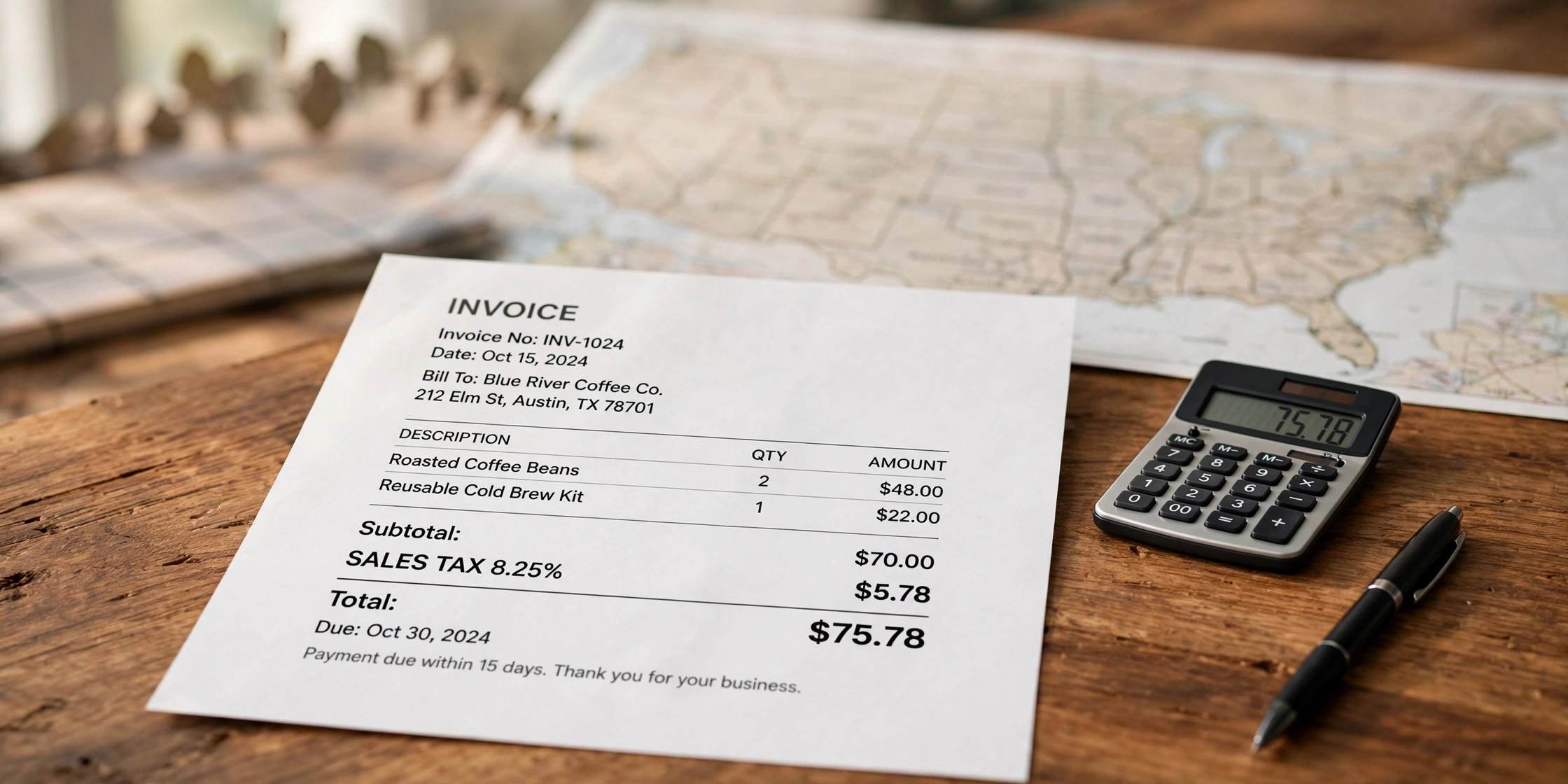
You sent the invoice. Then the client writes back: “Where is the sales tax?” Or worse — nobody asks, and months later you learn you were supposed to collect it all along.
Sales tax trips up more small businesses than any other line on an invoice. It differs by state, and the rate can change from town to town. Get it wrong and you overcharge a client or pay the missing tax yourself.
This guide explains how to add sales tax to an invoice in the USA in plain words: what it is, when you must charge it, how to find the right rate, and how to show it on the invoice — with a worked example, the common mistakes, and the cases where you should leave tax off completely.
What Is Sales Tax on an Invoice?
Sales tax is a tax that a state or local government puts on the sale of certain goods, and in some states, certain services. You collect it from the buyer and pass it on to the government. It is not your money.
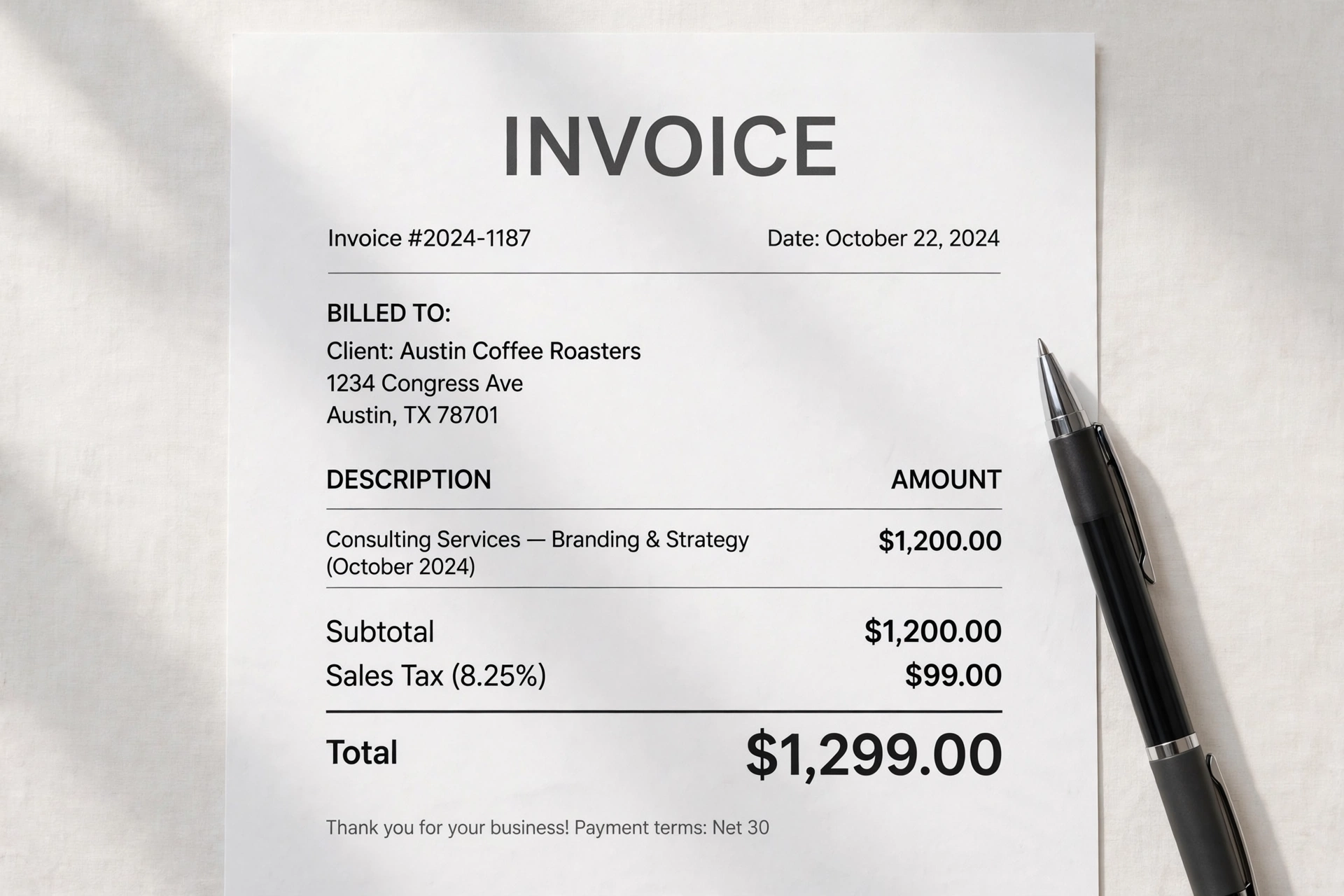
On an invoice, sales tax is its own line, under the subtotal and above the total:
- Subtotal: $1,200.00
- Sales tax (8.25%): $99.00
- Total: $1,299.00
That line does three jobs: it tells the client how much of the bill is tax, it shows the rate so the client can check it, and it keeps your records clean — your income is the subtotal, and the tax is separate.
Three facts surprise new sellers. First, there is no federal sales tax in the USA — states, counties, and cities set it. Second, five states have no statewide sales tax at all: Oregon, Montana, New Hampshire, Delaware, and Alaska. Note that Alaska allows local sales tax, so “no state tax” does not always mean “no tax at all.” Third, what is taxable changes by state — groceries, clothing, and services are common examples. Never assume. Check your own state’s rules.
The IRS Small Business and Self-Employed Tax Center is a useful starting point for small business tax duties. But sales tax is a state matter — your state department of revenue is the final word.
When Do You Have to Charge Sales Tax?
You charge sales tax when you have a legal duty to collect it where the sale happens. That duty comes from nexus — a strong enough connection to a state that it can make you collect its tax.
Physical nexus means a real presence in a state: a shop, office, or warehouse; an employee working there, even from home; stock stored there; or a salesperson who visits customers there. Sell in Texas from a Texas shop, and you must collect Texas sales tax.
Economic nexus comes from a 2018 Supreme Court decision (South Dakota v. Wayfair). States can require you to collect tax when you sell a lot into their state, even with no office or staff there. Each state sets its own trigger, usually a sales total (often $100,000 in a year) or a number of sales.
Marketplace sales are different. If you sell through Amazon, Etsy, or eBay, the marketplace usually collects and sends the sales tax for you. These platforms are called “marketplace facilitators.” But they only cover sales made through the marketplace.
Register before you collect. In most states you need a sales tax permit before you may charge sales tax, and collecting without one can get you fined. So find out where you have nexus, register there, and only then start adding tax.
How to Find the Right Sales Tax Rate
There is no single US sales tax rate. The rate you charge is the combined rate for the place where the sale is taxed — state rate plus county and city rates. Two customers in the same state can owe different rates.
First, find the customer’s delivery address — the rate almost always follows where the goods are delivered, not where your office sits. Second, check your state department of revenue website: every state publishes its rates and a lookup tool, and it is the only source to trust for the final number. Third, add the local rates. A “6% state rate” can become 8.25% once county and city rates are added. Always look for the combined rate.
If you sell in many states, use a rate lookup tool — free state tools or paid tax software can look up the rate from an address in seconds. Always write the rate on the invoice, next to the tax line — “Sales Tax (8.25%)” — so the client can see how the number was worked out. A tax line with no rate looks like a guess. Check the rate for each new customer, or at least once a year for repeat customers.
How to Add Sales Tax to an Invoice: Step by Step
Step 1: Confirm you need to charge tax. Do you have nexus in the customer’s state, and is the sale taxable there? If either answer is no, do not add tax. If unsure, check your state revenue site.
Step 2: Work out the subtotal first. Add up the taxable items only. If some items are not taxable, keep them on a separate line.
Step 3: Find the combined rate for the customer’s address. Look up the state, county, and city rates for the delivery address. Write the full rate down — for example, 8.25%.
Step 4: Multiply the taxable subtotal by the rate. Tax = taxable subtotal × rate. For example, $1,200.00 × 8.25% = $99.00. Round to the nearest cent, and only at the end.
Step 5: Add a clear tax line. Put it under the subtotal, above the total, with the rate in brackets: “Sales Tax (8.25%) — $99.00.” Never hide the tax inside the price.
Step 6: Add the tax to the subtotal. Total = subtotal + sales tax: $1,200.00 + $99.00 = $1,299.00. Double-check the three numbers add up.
Step 7: Keep the money aside and file it. Sales tax you collect is not income. Keep it in a separate account and send it to the state on your permit’s schedule — monthly, quarterly, or yearly. Late filing brings fines and interest.
For US sellers, our free invoice generator for USA does the maths for you — type in the subtotal and the rate, and it adds the tax line and the total.

Worked Example: $1,200 of Consulting Work
Maya is a freelance brand designer in Austin, Texas. A coffee company there hires her for a branding and strategy package at $1,200.00. Maya is registered for sales tax in Texas, and the service is taxable in her case — she checks this first, because services are not taxable in every state.
For this example, say the combined rate is 8.25% — an example rate, not the real rate in Austin. Always look up the real rate for your own sale.
| Line | Calculation | Amount |
|---|---|---|
| Consulting services — branding & strategy | 1 × $1,200.00 | $1,200.00 |
| Subtotal | $1,200.00 | |
| Sales tax (8.25%) | $1,200.00 × 0.0825 | $99.00 |
| Total due | $1,200.00 + $99.00 | $1,299.00 |
Now the same $1,200.00 job for a client in Portland, Oregon — no statewide sales tax, no nexus, no tax line. Subtotal $1,200.00, total $1,200.00. Same work, same price. The difference is the state.
Origin-Based vs Destination-Based States
Some states work out the tax from the seller’s location, others from the buyer’s. Most use the buyer’s, but a good number use the seller’s.
| Rule | How the rate is chosen | Example states |
|---|---|---|
| Destination-based | Tax rate of the buyer’s address (where goods are delivered) | Most states, including California, New York, and Florida |
| Origin-based | Tax rate of the seller’s address (where the sale starts) | Texas, Ohio, Pennsylvania, Illinois, and a few others |
A shop in Ohio (origin-based) shipping to a buyer in Michigan (destination-based) charges the Ohio rate, because the sale starts in Ohio.
In practice, remember one thing: check the rule for your own state first, then check the rate for the customer’s address. Origin-state lists do change, so confirm your state’s rule on your state revenue website.
6 Common Mistakes — and How to Fix Them
Mistake 1: Charging tax when you do not have nexus. A new seller adds tax to every invoice, even where they have no duty to collect. The fix: only charge tax where you have nexus and are registered — and refund any tax you should not have charged.
Mistake 2: Using one flat rate for every customer. A seller learns their home city charges 8.25% and uses 8.25% for every invoice, in every state. The fix: look up the combined rate for each customer’s address. One rate fits almost nobody.
Mistake 3: Taxing the whole invoice, including non-taxable items. A seller puts a taxable product and a non-taxable service on one invoice, then taxes the full total. The fix: split the invoice into taxable and non-taxable lines, and tax only the taxable part.
Mistake 4: Hiding the tax inside the price. A seller writes “$1,299.00” with no tax line, or “tax included” with no rate or amount. The fix: always show the tax as its own line with the rate in brackets — “Sales Tax (8.25%) — $99.00.”
Mistake 5: Treating collected tax as income. A seller sees $1,299.00 land in the bank and counts all of it as earnings. The fix: record sales tax in a separate account the day you collect it. Your income is the subtotal.
Mistake 6: Collecting tax but never sending it to the state. The seller charges tax, spends it, and misses the filing deadline. States charge interest and fines. The fix: set a reminder for every filing date, file even when you collected nothing, and pay on time.
When You Should NOT Charge Sales Tax
- You have no nexus in the customer’s state. No connection, no duty to collect.
- Your state has no sales tax. If the sale happens in Oregon, Montana, New Hampshire, or Delaware, there is no state sales tax to charge.
- The buyer is exempt. Non-profits, schools, and government bodies are exempt in many states — but they must give you a valid exemption certificate. Keep a copy on file. “We are tax-exempt” without a certificate is not enough.
- The buyer is buying for resale. A shop buying your products to sell on gives you a resale certificate instead of paying tax. The tax is collected later, from the final customer.
- The product or service is not taxable in that state. Groceries are tax-free in many states, and some services are untaxed in some states. Check the list for each state.
- The sale goes through a marketplace. If the marketplace is the facilitator, it collects the tax. Do not add tax on top — that would double-tax your customer.
- A sales tax holiday is running. Some states have short tax-free weekends, usually for school supplies. Do not charge tax on the covered items, on the covered days.
When in doubt, check before you charge — not after. Wrongly charging tax is a problem with the customer; wrongly skipping it is a problem with the state.
Frequently Asked Questions
Do I charge sales tax on services or only on products?
It depends on the state. Most states tax goods, and a growing number tax some services too — but the list differs in every state. Design, consulting, and repair work are untaxed in many states, taxed in others. Check your state’s list first.
What if my customer is in a different state from me?
The customer’s state rules matter most. Check whether you have nexus there — through sales volume or a physical presence. If you do, register there and charge that state’s combined rate. If not, you usually do not charge that state’s tax.
Do I need a sales tax permit before I add tax to an invoice?
Yes, in almost every state. You register, get a permit number, and then you may collect tax. Collecting without a permit can bring fines. Keep your permit details with your invoice template.
What happens if I charge the wrong rate?
Fix it fast. If you overcharged, tell the client, correct the invoice, and refund the extra. If you undercharged, you still owe the state the full amount — and the missing tax usually comes out of your own pocket.
How do I add sales tax to an invoice in a free tool?
Open a free invoice generator, fill in your details, and add your items as usual. Then add a separate line for sales tax — “Sales Tax (8.25%)” in the description, the tax amount in the amount box. Add it last, after the subtotal. If you are still learning what to include on an invoice, check the full list first.
The Short Version
Sales tax is simple once you know the four questions: Do I have nexus in the customer’s state? Is this sale taxable there? What is the combined rate? Have I registered before collecting? Answer those four, and the invoice almost writes itself.
Do not guess the rate, do not hide the tax, and do not treat the tax money as yours. Check the rate, show your working, and file on time.
Want to try it now? Make your invoice with our free invoice generator — no sign-up, no watermark. Add “Sales Tax” as its own line with the rate, and download a clean PDF.