
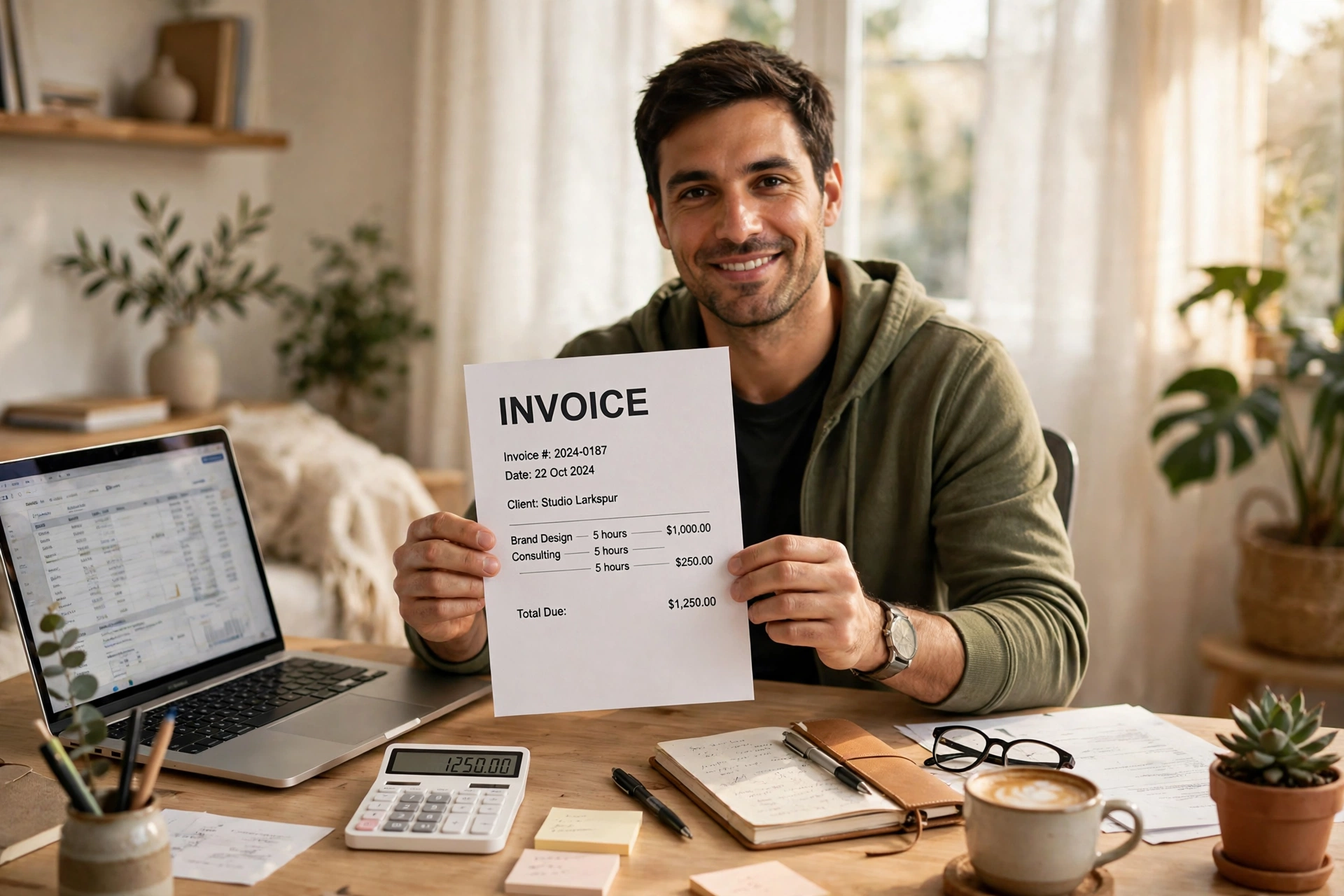
A good invoice format does one job: it helps your client pay you without asking a single question. If the client has to email you to ask "what is this for?" or "how much do I owe, and by when?", the format has failed — even if the work was perfect. Most late payments are not about money. They are about confusion. A missing due date, a vague item line like "services", or a total buried at the bottom of a messy page all give a busy client a reason to put your invoice aside. Fix the format, and you often fix the delay. In this guide you will see exactly what a professional invoice format looks like, what each part means, and how to build one you can reuse for every job. At the end there is a short checklist you can run through before you hit send.
What Is an Invoice Format?
An invoice format is simply the layout of your invoice: where each piece of information goes, and how it is shown. It is not the same as an invoice template file, although people use the two words in the same way. Think of it like this: the format is the plan, and the template is the file that follows the plan. A strong invoice format stays the same from job to job. Your client learns where to find the total, the due date, and the payment details. That habit matters. When a regular client opens your tenth invoice, they should know in five seconds what they owe and how to pay it. Your format also protects you. A clear, dated, numbered invoice is your record if a payment is ever disputed.
Official guidance on invoicing and taking payment from customers sets out what an invoice must include.
The 10 Parts Every Invoice Needs
You do not need fancy design. You need these ten parts, in this order, on every invoice:
- The word "Invoice" at the top. A document titled "Invoice" is a request for payment. A document titled "Receipt" is proof of payment already made.
- Your business name and contact details. Use your business name exactly as it appears on your bank account.
- Your client’s name and contact details. For a company, add the contact person’s name and the billing email.
- A unique invoice number. Every invoice gets its own number, and numbers never repeat. A simple system works: INV-2026-001, INV-2026-002, and so on.
- The invoice date and the due date. Write both as full dates, for example "3 November 2026", not just "11/3".
- A clear description of each item. "Logo design and brand kit" is clear. "Services" is not.
- The subtotal, tax, and total. Show the maths. Subtotal first, then any tax as its own line, then the final total due in bold.
- Payment terms. One short line, such as "Payment due within 14 days" or "Net 30".
- How to pay. Bank details, a payment link, or both, near the total.
- A short thank-you note. One line is enough: "Thank you for your business."

A Filled Invoice Format Example
Here is a complete, filled example using the format above.
Aurora Design Studio — Invoice.
Invoice number: INV-2024-0819. Date: 17 October 2024. Bill to: Lumina Coffee Co., billing@luminacoffee.co. Item: Logo Design and Brand Kit — quantity 1 — rate $1,250.00 — amount $1,250.00. Total: $1,250.00. Payment due: 31 October 2024. Note: "Thank you for your business!"
Notice what this example does well. The client can see the total, $1,250.00, without hunting for it. The item line says exactly what was bought. The due date is a full, clear date. Now compare it with a weak version of the same invoice: no invoice number, "design work" as the only item line, no due date, and a total written only in the email body. The client would have to reply to ask three questions before they could pay. If you already have work ready to bill, you can build this exact layout in minutes with a free invoice generator — no sign-up, no watermark — and download it as a PDF.
Invoice Format Types Compared
| Format type | Best for | Watch out for |
|---|---|---|
| Simple one-page invoice | Freelancers, single services, small jobs | Too little detail for large projects. |
| Detailed itemised invoice | Contractors, agencies, multi-part projects | Long item lists need clear grouping. |
| Recurring invoice | Retainers, subscriptions, monthly services | Update the dates and period every cycle. |
| Proforma invoice | Quotes and advance payments before delivery | It is not a final tax invoice in most cases. |
| Commercial invoice | Shipping goods across borders | Customs needs extra fields like origin and HS codes. |
For most freelancers and small businesses, the simple one-page format is the right starting point. Move to a detailed format only when a job genuinely has many parts. A format longer than the job needs is just harder to read. The file type matters less than the layout. A PDF is the safest way to send an invoice because it looks the same on every device and cannot be edited by accident. Word and Excel files are fine for drafting, but send the final version as a PDF.
How to Set Up Your Invoice Format Step by Step
Step 1: Fill in your business details once, and save them in your template.
Step 2: Choose a numbering system and stick to it. Start at INV-2026-001 and go up by one each time. Never reuse a number; mark cancelled invoices as void instead.
Step 3: Write item lines your client would understand. If you would not know what you were paying for, rewrite it.
Step 4: Check the maths twice. A wrong total is the fastest way to lose trust.
Step 5: Add payment terms and a due date, then send as PDF. "Due within 14 days" plus a full due date leaves no room for doubt. Send the PDF by email with a short, polite message, and keep a copy for yourself.

6 Common Invoice Mistakes (and Fixes)
Mistake 1: No due date. Fix: always show a due date, even for friendly clients.
Mistake 2: Vague item lines. Fix: name the deliverable, the quantity, and the rate.
Mistake 3: Reused or missing invoice numbers. Fix: number every invoice, in order.
Mistake 4: Hiding the total. Fix: make the total bold and place it right after the item list.
Mistake 5: No payment instructions. Fix: put bank details or a payment link on the invoice itself.
Mistake 6: Sending a different format every time. Fix: lock one format and use it for every job.
If a payment does go late despite a clean format, the problem is usually follow-up, not layout.
Invoice Format Checklist Before You Send
- Does it say "Invoice" clearly at the top?
- Are your business details and your client’s details correct?
- Is the invoice number unique?
- Are the invoice date and due date both full, clear dates?
- Does every item line say exactly what was delivered?
- Is the subtotal, tax, and total maths correct?
- Are payment terms and payment details on the invoice itself?
- Is it saved and sent as a PDF?
If you can answer yes to all eight, send it. One careful minute here saves days of chasing later.
Invoice Format Examples for Different Jobs
A single format can serve many kinds of work, but the item lines change. Here are three short examples that show how the same ten parts adapt.
First, a freelance writer billing by the hour. Her item lines read: "Blog article — 4 hours at $75 per hour — $300" and "Editing and revisions — 2 hours at $75 per hour — $150." The subtotal is $450, there is no tax, and the total is $450, due within 14 days. Nothing else is needed, and the client can see exactly what each hour paid for.
Second, a small shop selling products. Its item lines list each product, its quantity, and its price: "Ceramic mug — 12 at $18 — $216" and "Gift box packaging — 12 at $4 — $48." The subtotal is $264, sales tax of $21.12 is shown as its own line, and the total is $285.12. Showing tax separately matters here, because the shop’s records and the customer’s receipt must match.
Third, a contractor billing a large job in two parts. The first invoice is a deposit invoice for 50 percent of the job, clearly marked "Deposit — 50% of kitchen renovation, stage 1." The second invoice, sent when the work is finished, lists the remaining balance and refers back to the first invoice number, so the client can see that the deposit has already been counted. This avoids the most common contractor dispute: a client who believes they have already paid the full amount.
What to Do When a Client Asks for a Different Format
Sometimes a larger client sends you their own format: a purchase order number they need on the invoice, a vendor portal to upload it to, or a tax ID field your format does not have. Do not refuse, and do not rebuild your whole format for one client. Add only the field they asked for, keep your numbering and layout the same, and note their reference number on the invoice. If a client asks you to remove your invoice number or due date, do not agree — those two fields protect you, and a serious client will not ask you to drop them.
Frequently Asked Questions
What is the standard invoice format?
No single legal layout, but the standard parts are: the word Invoice, your details, the client’s details, a unique number, dates, item lines, subtotal, tax, total, payment terms, payment details.
Does an invoice need my logo?
No, it is optional; clear fields and a due date matter more.
What is the best invoice format for a freelancer?
A simple one-page PDF format.
Should I use Word, Excel, or PDF for my invoice format?
Draft in Word or Excel if you like, but send the final invoice as a PDF.
Can I change my invoice format later?
Yes, but change it once and then keep the new version steady.
A good invoice format is not about design skill. It is about respect for your client’s time: every answer they need, in the place they expect it, with nothing vague and nothing missing. Build the format once, check it against the list above, and use it for every job. Then let the work speak for itself — and let the invoice do the quiet job of getting you paid on time. Create your next invoice in the same clean format with the free invoice generator: add your details, your items, and your tax, then download a professional PDF in seconds, with no sign-up and no watermark.
2 thoughts on “Invoice Format: What a Good Invoice Looks Like (With Example)”