
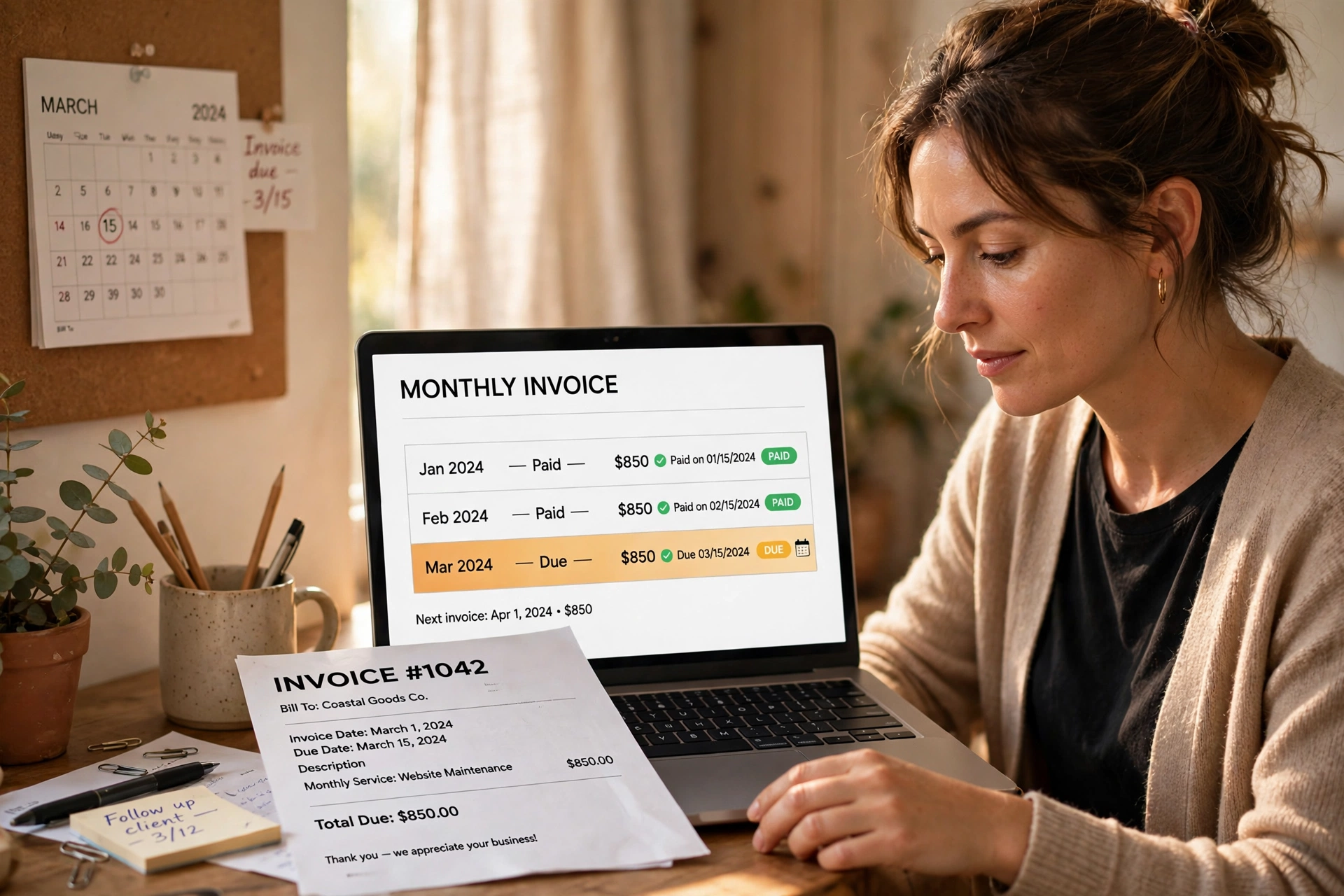
If you bill the same client the same amount every month, you are doing the same job over and over again for no reason. You open last month’s invoice, change the date, check the numbers, send it, and hope you did not miss anything. A recurring invoice fixes that. You set it up once, and the same invoice goes out on the same schedule, month after month, with no retyping.
This guide explains what a recurring invoice is, how recurring billing works, when it makes sense, what to put on one, and the mistakes that cost people money. If you charge retainers, subscriptions, rent, or any regular fee, this will save you hours every month.
What Is a Recurring Invoice?
A recurring invoice is an invoice that is sent automatically on a fixed schedule for the same service and the same amount. Instead of creating a new invoice from scratch each time, you create one invoice template and it repeats — weekly, monthly, quarterly, or yearly.
Think of a web designer who charges a client $500 a month to look after their website. Every month the work is the same, the price is the same, and the client is the same. There is no reason to build that invoice from zero twelve times a year. A recurring invoice sends the $500 invoice on the 1st of every month, automatically.
The key point is that the amount and the service stay the same. If the amount changes every month, you do not have a recurring invoice — you have a regular invoice that happens to go to the same client. Recurring billing only works when the charge is fixed and predictable.
Here is a simple example. Maya runs a cleaning business. She cleans an office every week for $120. She sets up a recurring invoice for $120, sent every Monday. Her client always knows what to expect, Maya never forgets to bill, and nobody wastes time on paperwork. That is the whole idea: the same invoice, on the same day, without the repeated work.
How Recurring Billing Works
Recurring billing follows the same five steps every time. Once you understand them, the whole system feels simple.
Step 1: Agree the terms with your client. Before anything repeats, you and your client agree on the amount, the schedule, and the payment terms. Put this in writing — in a contract, an email, or the notes on the first invoice. A monthly $500 retainer with payment due in 14 days is a clear agreement. “About $500, roughly monthly” is not.
Step 2: Create the first invoice. Build the invoice exactly as you would a normal one: your business details, the client’s details, a clear description of the service, the amount, the tax, and the due date. This first invoice becomes the template for every invoice that follows.
Step 3: Set the schedule. Choose how often the invoice repeats and on which day. Monthly on the 1st is the most common choice, but weekly and quarterly schedules are normal too. Pick a day your client expects — the 1st of the month is easier to remember than the 17th.
Step 4: The invoice goes out automatically. On the scheduled day, the next invoice is created and sent. A good system numbers each invoice in sequence, so January is invoice #1041, February is #1042, and so on. A clear invoice numbering system matters here more than anywhere else, because twelve invoices a year for one client can get confusing fast if the numbers jump around.
Step 5: The client pays, and you track it. Payment arrives on the agreed terms, just like a normal invoice. If a payment is late, your usual follow-up applies — a friendly payment reminder first, then a firmer note, and a late fee only if your terms say so. Recurring billing does not remove the need to watch payments; it only removes the need to re-create the invoice.
Large billing platforms document the same flow — see Stripe’s recurring billing documentation.

Recurring Invoice vs One-Time Invoice
The difference is simple, but it decides which one you should send. Here is the comparison.
| Recurring invoice | One-time invoice | |
|---|---|---|
| When to use it | Same service, same amount, regular schedule | A single job, a one-off project, a changing amount |
| Example | $500/month website care, $1,200/month rent | A $2,400 website build, a $850 repair job |
| How often you create it | Once, then it repeats | Every time, from scratch |
| Invoice number | Runs in a sequence automatically | You number each one yourself |
| Risk | Forgetting to update it when the price changes | Forgetting to send it at all |
| Best for | Retainers, subscriptions, rent, memberships | Projects, repairs, single sales |
If the work and the price are the same every time, use a recurring invoice. If either one changes, send a one-time invoice. Many businesses use both: a recurring invoice for the monthly retainer, and a one-time invoice for extra work on top.
When Should You Use Recurring Invoices?
Recurring invoices fit any business where the same client pays the same amount on a regular schedule. Here are the most common cases.
Retainers. A consultant, designer, lawyer, or marketer who charges a fixed monthly fee for ongoing work. The client pays for your availability and a set amount of work each month. Our consulting invoice guide covers retainer billing in detail, including hourly, project, and retainer structures.
Subscriptions. Software, online courses, membership sites, and box services. The customer signs up once and is billed every month or every year until they cancel.
Rent and property. Landlords bill the same rent every month. A recurring invoice gives the tenant a proper record each month and gives you a clean paper trail if there is ever a dispute.
Maintenance and support contracts. IT support, cleaning, lawn care, pool service, and equipment maintenance. The service repeats, the price is fixed, and the client expects the same invoice every month.
Memberships and classes. Gyms, clubs, tutoring, and coaching. The member pays the same fee on the same day, and the invoice is proof of payment.
If your work does not fit this pattern — the amount changes, the client changes, or the job is a one-off — a recurring invoice is the wrong tool. Use a normal invoice instead.
What to Include on a Recurring Invoice
A recurring invoice needs everything a normal invoice needs, plus two extra details: the billing period and the schedule. Here is the checklist.
- Your business name, address, and contact details
- The client’s name and address
- A unique invoice number (in sequence)
- The invoice date and the due date
- The billing period — for example, “1–31 March 2026”
- A clear description of the service — for example, “Monthly website care retainer”
- The amount, any tax, and the total due
- Your payment details and accepted payment methods
- A note that this invoice repeats monthly (so the client is not surprised next month)
The billing period is the detail people forget most. Without it, a client who receives twelve identical invoices cannot tell which month each one covers. “Monthly website care — March 2026” is clear. “Website care” on its own is not.
Worked example: a $500 monthly retainer
Sara is a freelance marketer. She charges one client $500 a month for a retainer. Here is what her invoices look like over a year.
- Monthly amount: $500
- Billing period on each invoice: that calendar month
- Invoice numbers: #2101 (January) through #2112 (December)
- Total billed over the year: 12 × $500 = $6,000
- Payment terms: due within 14 days of the invoice date
In January, Sara sends invoice #2101 for $500, covering 1–31 January. In February she sends #2102 for $500, covering 1–28 February. Nothing changes except the invoice number, the date, and the billing period. If Sara raises her rate to $550 in July, she updates the template once — and every invoice from July onward shows $550. The old invoices stay exactly as they were, which is how it should be.

How to Set Up Recurring Invoices
Setting up recurring billing takes about fifteen minutes the first time. After that, it runs itself.
1. Confirm the agreement in writing. Amount, schedule, start date, and payment terms. If the client can cancel, write down how much notice they must give — 30 days is standard.
2. Create the first invoice with the free invoice generator. Build it once, with every field filled in properly. This first invoice is your template, so take the time to get it right. Check the totals, the dates, and the spelling of the client’s name before you save it.
3. Set the repeat schedule. Monthly on the 1st is the safest default. If your client pays you on the 15th, match the invoice to their payday — invoices sent just before payday get paid faster than invoices sent just after it.
4. Choose your payment terms. Net 30 is common, but for a recurring charge, shorter terms work better: due on receipt or net 14. Short terms mean a late payment shows up quickly, while you still have time to chase it before the next invoice goes out. See our guide to payment terms if you are not sure which ones fit your business.
5. Tell the client what to expect. Send a short note with the first invoice: “This invoice will repeat on the 1st of each month for $500, due within 14 days.” Clients pay faster when nothing surprises them.
6. Review the template every few months. Prices change, services change, and tax rates change. Check the template at least once a quarter. A recurring invoice that still shows last year’s price is a quiet way to lose money.
How Recurring Invoices Help Your Cash Flow
The biggest benefit of recurring billing is not the time you save — it is knowing what money is coming in. A one-time invoice is a guess until the client pays. A recurring invoice is a promise you can plan around.
If you have ten clients on $500 monthly retainers, you know $5,000 is coming in next month before the month even starts. That changes how you run the business. You can pay your own bills on time, take on a new hire, or turn down a bad project, because the base income is already covered. Small businesses fail on cash flow far more often than on a lack of work, and a steady monthly billing base is the simplest fix there is.
Recurring invoices also make late payment easier to spot. When every client pays on the same day each month, a missing payment stands out at once. With one-off invoices, a payment that is two weeks late can hide among all the other jobs. With recurring billing, you check one list on one day, and you know exactly who has not paid.
There is one honest warning: recurring income can make a business lazy. If half your income comes from the same ten retainers, losing two of them hurts badly. Keep winning new work alongside the recurring base, and never let one client become more than a third of your monthly income if you can help it.
Common Recurring Invoice Mistakes (and How to Fix Them)
Mistake 1: No billing period on the invoice. The client cannot tell which month an invoice covers, so they delay payment while they ask. Fix: always show the period, for example “1–31 March 2026”, in the description line.
Mistake 2: Forgetting to update the price. You raise your rate in January, but the recurring template still bills the old price in June. Fix: put a quarterly calendar reminder to review every recurring template, and update it the same day you agree a new price.
Mistake 3: No cancellation terms. The client cancels, but the invoices keep coming, and now you have an unhappy ex-client and a dispute. Fix: write the notice period into the first invoice and the agreement — 30 days is standard — and stop the schedule the day notice ends.
Mistake 4: The same invoice number twice. Two invoices with the same number make your records a mess and confuse the client’s accounts team. Fix: use a numbering sequence that runs automatically, and never reuse a number, even for a corrected invoice — issue a credit note instead.
Mistake 5: Never checking whether payments arrived. Because the invoices go out automatically, it is easy to assume the money is coming in. It is not. Fix: check once a month which recurring invoices are unpaid, and follow up on the first day they are late. An automatic invoice still needs a human watching the payments.
Frequently Asked Questions
Are recurring invoices legal?
Yes. A recurring invoice is a normal invoice that repeats on a schedule. It is legal as long as the client agreed to the recurring charge and the invoice shows the correct amount, dates, and tax. Keep the written agreement — an email is enough — so you can prove the client accepted the schedule.
How do I cancel a recurring invoice?
Stop the schedule in your invoicing system and tell the client in writing. Respect the notice period in your agreement — usually 30 days. Send a final invoice for any work already done, and do not send another one after the cancellation date.
What happens if the price changes?
Update the template from the next billing date. The change applies to future invoices only — never edit an invoice you already sent. If you need to correct a past invoice, issue a credit note for the difference instead.
Can I send a recurring invoice without a business?
Yes. Individuals and sole traders can send recurring invoices the same way businesses do. The invoice still needs your name, the client’s details, the amount, and the billing period. Tax rules depend on where you live, so check your local requirements.
Should a recurring invoice include tax?
Yes, if the service is taxable where you operate. Show the tax as its own line so the client can see the net amount, the tax, and the total. If your rate changes, update the template before the next invoice goes out.
Do I still need to send a receipt for a recurring payment?
You do not have to, but it is good practice. The invoice is the request for payment; a short receipt confirms the money arrived. Many clients file the invoice and ignore receipts, but a one-line “Payment received, thank you” email takes ten seconds and stops the “did you get my payment?” messages.
Make Your Billing Run Itself
Recurring invoices are one of the simplest ways to get paid on time with less work. You agree the terms once, set the schedule, and the invoices go out while you do the actual work. The clients who benefit most are the ones you bill every month without thinking about it — retainers, subscriptions, rent, and maintenance contracts.
Start with one client. Set up a single recurring invoice for next month, check that the billing period and the invoice number are right, and let it run. Then move the rest of your regular clients onto the same system, one at a time.
When you need the next invoice in the series, you can build it in seconds with our free invoice generator — no sign-up, no watermark, and you can download it as a PDF straight away.
4 thoughts on “Recurring Invoices Explained: Set-and-Forget Billing for Retainers & Subscriptions”